The riskiest meeting in an enterprise AI rollout is usually the security review. Someone asks where the prompts go, who can see which records, and what gets logged, and the project spends the next quarter in procurement.
The model is rarely the hard part now. What decides whether enterprise AI reaches production is governance: whether the platform connects to your systems safely, respects the permissions you already enforce, and keeps AI sprawl from becoming the next round of shadow IT.
So I scored 10 enterprise AI solutions on the four capabilities that decide that outcome, then read each vendor's trust documentation, pricing page, and user reviews. You'll come away knowing which layer of the stack each one covers and what to ask a vendor before you sign.
10 best enterprise AI solutions: TL;DR
- Superblocks: a governed platform where business teams build internal AI apps on company data, inside guardrails IT sets once
- Microsoft Copilot and Copilot Studio: AI across Microsoft 365, plus an agent builder with 1,400+ connectors
- IBM watsonx: an agent control plane and AI governance suite for large, regulated enterprises
- Amazon Bedrock: foundation models and agent infrastructure that run inside your AWS account
- Google Gemini Enterprise: permission-aware search and agents for every employee, grounded in connected data
- Salesforce Agentforce: agents that act on CRM data for service, sales, and field teams
- ServiceNow AI Platform: AI agents and AI governance inside IT and HR workflows
- UiPath: orchestration of agents, robots, and people, including legacy systems with no API
- Glean: enterprise search and agents across 275+ connected apps
- Databricks: agents and predictive models built directly on governed lakehouse data
What are enterprise AI solutions? The 30-second answer
Enterprise AI solutions are AI platforms and applications built to run across a large organization: they connect to company systems and data, automate multi-step work, and operate under the security, governance, and compliance controls IT sets.
That last part is what the word "enterprise" is doing. A chatbot that answers one person's questions is a tool.
The same model wired into your CRM, your ticketing system, and your data warehouse, serving thousands of employees under role-based access and an audit trail, is an enterprise AI solution. (Same model, very different security questionnaire.)
What sets enterprise AI apart:
- Strict data governance: access rules, retention, and compliance frameworks such as SOC 2, HIPAA, and GDPR apply to every prompt and response.
- Deep system integration: connectors to ERPs, CRMs, data warehouses, and internal APIs, so the AI works on live company data.
- Grounding in company knowledge: retrieval over your own documents and records, filtered by what each user is allowed to see.
- Organization-wide scale: support for thousands of concurrent users across departments.
- Centralized control: approval workflows, monitoring, and policy enforcement owned by IT.
Under the hood, most of these systems follow the same loop. They pull data from enterprise sources, run a model over it (a foundation model, a fine-tuned one, or both), push the result back into a workflow, and monitor accuracy and drift over time.
If you want the longer version of how that plays out inside real companies, our breakdown of AI in the enterprise covers the good and the bad.
Enterprise AI vs consumer AI tools
Consumer AI is built for one person and one task. Enterprise AI is built for an organization, which means it inherits everything that comes with one: identity systems, permissions, regulators, and an auditor who wants to know what happened last Tuesday.
| 🧩 Dimension | 👤 Consumer AI tools | 🏢 Enterprise AI solutions |
|---|---|---|
| Who it serves | One user | Thousands of employees |
| Data it sees | What you paste in | Connected company systems |
| Access control | A personal login | SSO, RBAC, row-level permissions |
| Data use | Varies by plan | Contractual no-training terms |
| Oversight | None | Audit logs and admin policy |
| Deployment | Vendor cloud | Vendor cloud, VPC, or on-prem |
The difference matters most when the two overlap. Employees already paste customer data into personal AI accounts and spin up apps in consumer builders, which is why shadow AI is the new shadow IT, and why security teams now track shadow AI tools the way they once tracked unsanctioned SaaS.
An enterprise AI solution gives those same people a sanctioned place to do the work, with the guardrails already in place.
What enterprise AI platforms provide
Enterprise AI platforms provide the tools and infrastructure to develop, deploy, and manage AI applications in a repeatable way that holds up at enterprise scale. In practice, that comes down to four capabilities, and they're the four I used to score every pick below.
1. Security and governance
Authentication through SSO, role-based access control, audit logging of every action, and compliance certifications. The best platforms also let you govern the models themselves: which ones are approved, who can use them, and where inference runs.
2. Native enterprise integration
Connectors to the databases, warehouses, SaaS apps, and internal APIs where your data already lives, with credentials managed centrally. This is the integration layer that turns a model into something that can read an order history or update a ticket.
3. Agentic execution and process automation
The ability to take multi-step actions across systems (file the ticket, update the record, notify the approver) with human sign-off where the stakes call for it. This is where process automation and predictive insights turn into work that gets done.
4. Grounding on company data
Retrieval-augmented generation (RAG) over your documents and records, filtered by the permissions each user already has. Grounding is what keeps answers tied to your data and cuts down on confident, wrong ones.
Why most enterprise AI pilots stall
Gartner predicts that over 40% of agentic AI projects will be canceled by the end of 2027, citing escalating costs, unclear business value, and inadequate risk controls.
It also estimates that only about 130 of the thousands of agentic AI vendors are real, with the rest "agent washing" assistants, chatbots, and RPA.
Pilots usually stall for five reasons, and the model is rarely one of them:
- Scattered, regulated data: the records the AI needs sit across systems with different owners and access rules, and nobody signed off on combining them.
- Legacy integration: core data lives in mainframes, on-prem ERPs, or custom apps with thin APIs, so every connection becomes a custom project.
- Hallucinations with no grounding: a model that sounds certain about the wrong refund policy loses the business sponsor in a week. Enterprise AI risk management starts with grounding and human review for high-stakes flows.
- Sprawl without a system of record: ten teams buy ten AI tools, and IT can't answer who built what, what data it touches, or who has access.
- Cost that scales faster than value: per-seat licenses and consumption pricing look small in a pilot and very different across 5,000 employees.
For plenty of security teams, the sprawl problem has already arrived. As one IT and security leader put it:
"We have 579 active users in Replit. That is more than half our remote staff. I am having heartburn making sure these production-level apps meet the same standards we have for any other application."
Most of those are governance problems before they're technology problems, which is why an enterprise AI governance framework belongs in the plan before the first vendor demo.
How I evaluated these enterprise AI solutions
I scored each platform against the four capabilities above, rating each one Strong, Partial, or Limited. The evidence came from the vendor's own product docs and trust center, its official pricing page, and user reviews on G2 and PeerSpot.
I also checked every vendor's documentation against the same security-review questions: where does inference run, does the vendor train on your data, what gets logged, and how does access map to your identity provider.
- Security and governance: certifications, SSO and RBAC, audit logs, data residency, and training policy
- Native integration: named connectors and how credentials are handled
- Agentic execution: whether agents can act across systems, with approvals
- Company-data grounding: permission-aware retrieval over internal knowledge
- Pricing model: how the bill grows from pilot to company-wide rollout
I also looked at Kore.ai, C3 AI, Anthropic's Claude Enterprise, and OpenAI's ChatGPT Enterprise.
Claude and ChatGPT are strong, but they're the models underneath several platforms here, so they show up through Bedrock, Microsoft, and Databricks. Kore.ai and C3 AI are narrower fits, and Moveworks now ships as part of ServiceNow Otto.
This approach kept the comparison anchored to what a security team and a budget owner will ask, which is where most of these decisions get made.
Enterprise AI solutions compared
| 💻 Solution | 🧱 Layer | 🔐 Security and governance | 🔌 Integration | 🤖 Agentic execution | 📚 Data grounding | 💰 Starting price |
|---|---|---|---|---|---|---|
| Superblocks | Governed app building | Strong | Strong | Partial | Partial | $100/month (annual) |
| Microsoft Copilot | Employee copilot + agents | Strong | Strong | Strong | Strong | $30/user/month |
| IBM watsonx | Agent control plane | Strong | Strong | Strong | Partial | $530/month |
| Amazon Bedrock | Foundation models | Strong | Partial | Strong | Strong | Pay as you go |
| Gemini Enterprise | Employee AI app | Strong | Strong | Partial | Strong | $21/seat/month |
| Salesforce Agentforce | CRM agents | Strong | Partial | Strong | Strong | $2/conversation |
| ServiceNow AI Platform | IT and HR agents | Strong | Strong | Strong | Partial | Custom quote |
| UiPath | Process orchestration | Strong | Strong | Strong | Partial | $25/month (Basic) |
| Glean | Enterprise search | Strong | Partial | Partial | Strong | Custom quote |
| Databricks | Data and AI platform | Strong | Partial | Partial | Strong | Pay as you go |
Scores reflect each platform against the four capabilities above. Starting prices are from official pricing pages as of September 2026 and exclude usage-based add-ons.
Security and governance scores come out strong across the board, because every serious vendor has done that homework. The differences show up in which layer each one covers and how far its agents can act beyond its own product.
1. Superblocks
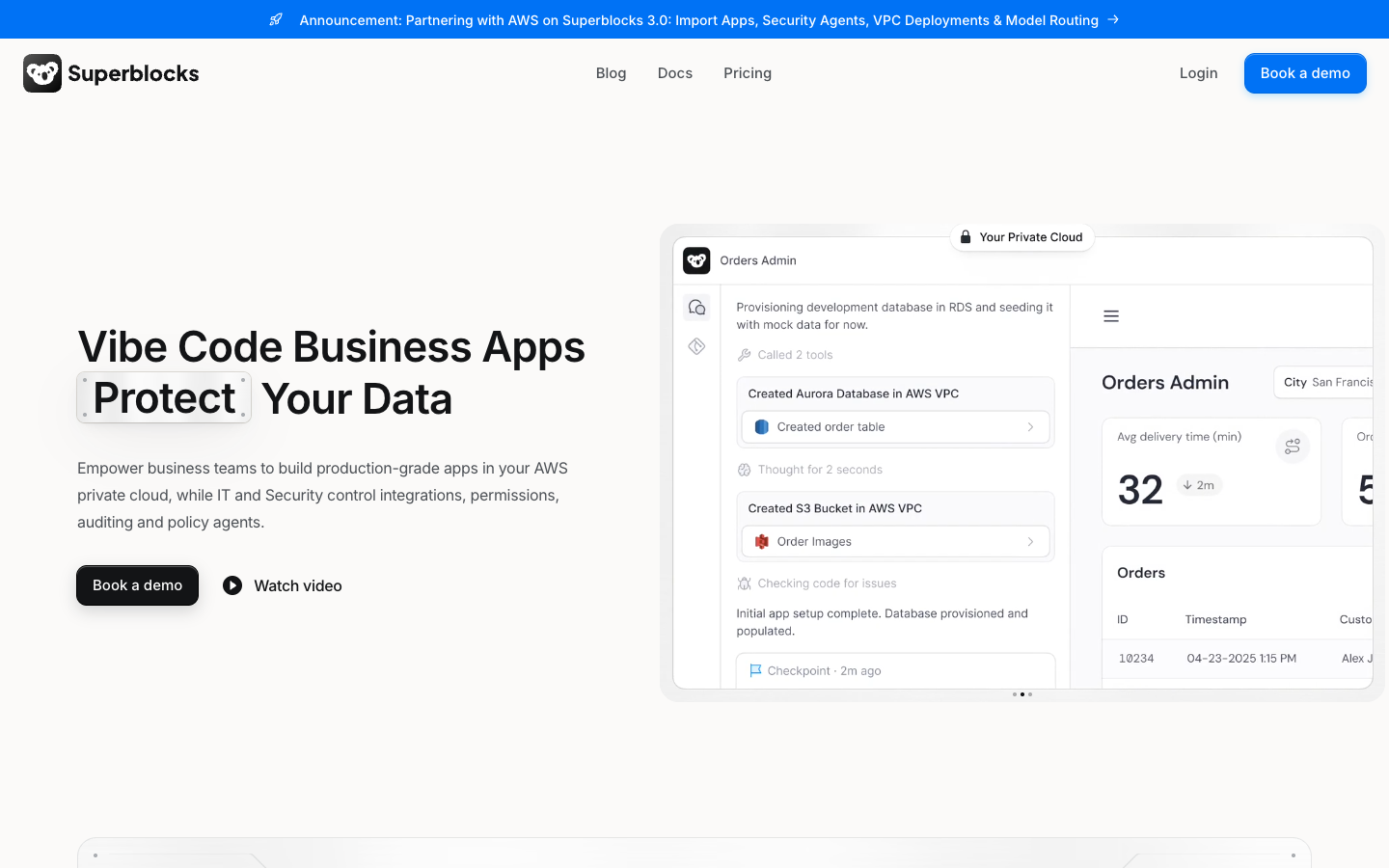
What it does: Superblocks is the governed enterprise vibe coding platform: business teams build internal AI apps with Clark by Superblocks, and IT configures the guardrails once for every app.
Superblocks covers the layer where teams build their own AI apps on internal data. The platform sits between every app and the systems it touches, enforcing API and MCP authentication, inheriting access controls, abstracting secrets, and auditing each interaction.
Superblocks 3.0 runs the whole platform inside your AWS VPC and routes inference through Amazon Bedrock on models your admins approve, with prompts and data never used to train models.
Before anything ships, security agents and static scanners check each code change for permission bypasses and hardcoded secrets. Cvent is among the enterprises building internal AI apps on Superblocks.
How it scores
- Security and governance: Strong. RBAC on Teams; SSO, audit logs, and VPC deployment on Enterprise, plus SOC 2 Type 2 and HIPAA reports
- Native integration: Strong. 50+ integrations, including Postgres, Snowflake, and Salesforce, with central credentials
- Agentic execution: Partial. Clark builds apps; background Workflows are still listed as coming soon
- Company-data grounding: Partial. Apps run on live, permissioned data, with no dedicated enterprise search layer
Pros and cons
✅ IT can see who built what and which data each app touches through the Superblocks MCP
✅ Imports prototypes from Claude, ChatGPT, Lovable, Replit, and raw code, so a proof of concept isn't thrown away
✅ Runs on your own AWS stack, down to inference on Bedrock
❌ SSO, audit logs, VPC deployment, and security agents are Enterprise-only, so the fully governed setup starts at the Enterprise tier
❌ It's built for internal apps, so it won't replace an employee assistant or a customer-facing service agent
❌ One reviewer reports rendering lag on complex apps with large data sets
What users say
"It's very easy to develop internal tooling. It offers a lot of functionality out-of-the-box. A lot of integrations as well, like APIs, databases, etc. We use it internally every day." (Max H., G2)
"Superblocks also lacks performance under complexity. Applications with many nested components, large data sets, or high-frequency refresh requirements show noticeable rendering lag." (Anam Jafri, senior engineer at Cvent, PeerSpot)
Pricing
Teams starts at $100 per month billed annually ($125 monthly), with RBAC, 100 Governed Agent Units, up to 15 builders, and a 14-day trial. Enterprise is custom and adds SSO, audit logs, VPC deployment, Git source control, and security agents, per the pricing page as of September 2026.
If your problem is dozens of teams building AI apps that nobody governs, this is the platform built for exactly that. If you need an assistant for every employee's inbox, start further down the list.
2. Microsoft Copilot and Copilot Studio
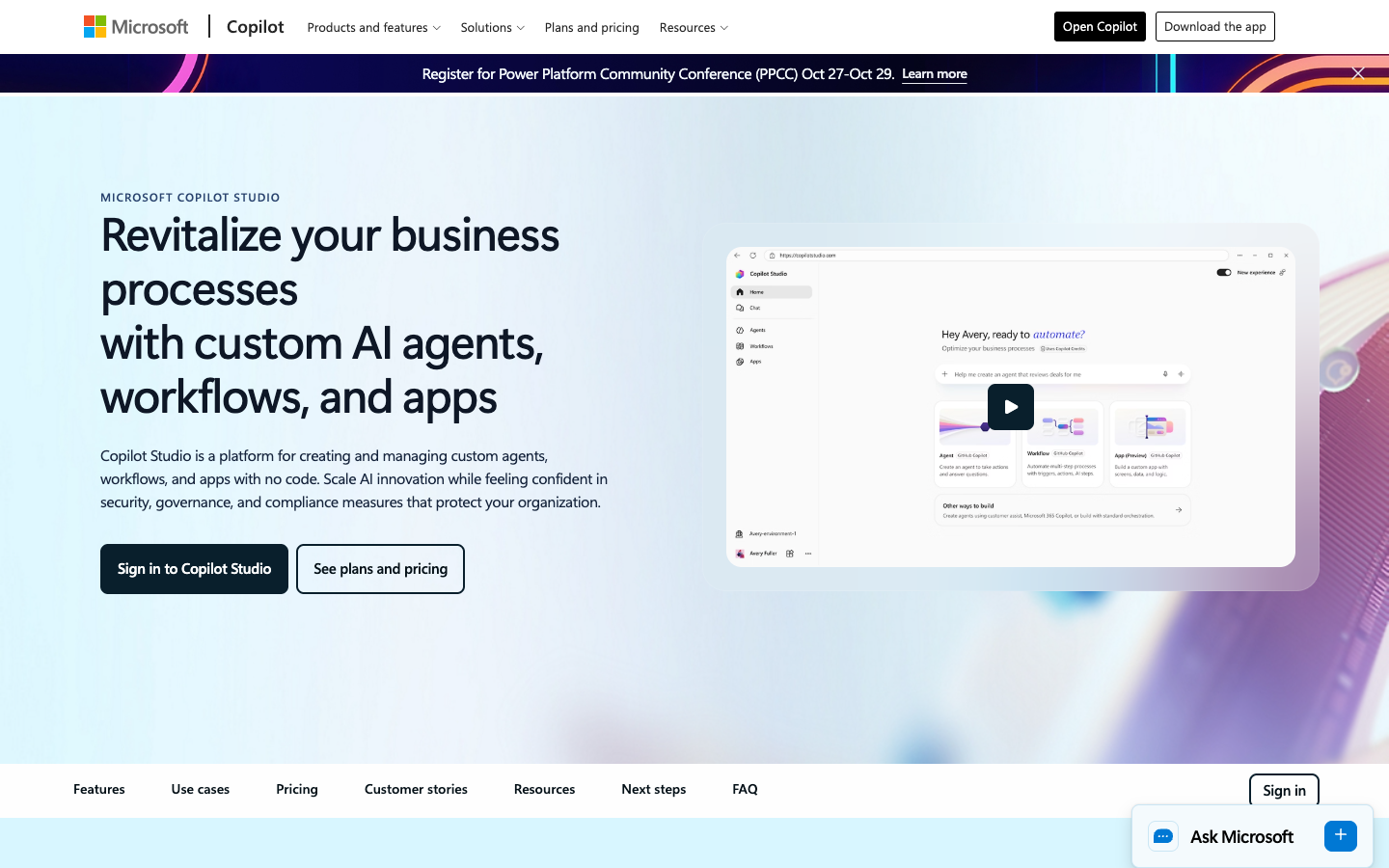
What it does: Microsoft Copilot brings AI into Word, Excel, Outlook, Teams, and the rest of Microsoft 365, while Copilot Studio is Microsoft's platform for building and managing agents on top of it.
For companies already on Microsoft 365, this is the default starting point, and it's easy to see why.
Copilot grounds answers in Microsoft Graph data through Work IQ and only surfaces content each user already has permission to view, and Microsoft says prompts and responses aren't used to train foundation models.
Copilot Studio extends that into agents that plan, act, and escalate across business processes, with more than 1,400 connectors plus MCP servers. Makers get audit logs in Microsoft Purview, DLP, customer-managed keys, and data residency controls.
Virgin Money built its Redi assistant in Copilot Studio and reports 54% engagement on outbound messages with a 97% journey completion rate.
If you're wondering where Azure AI Foundry went, it's now Microsoft Foundry, the developer platform for custom models and agents underneath all of this.
How it scores
- Security and governance: Strong. Permission-trimmed grounding, Purview audit, CMK, ISO 27001, ISO 42001, and HIPAA for configured deployments
- Native integration: Strong. Native Microsoft 365 data, 1,400+ Copilot Studio connectors, and MCP
- Agentic execution: Strong. Autonomous agents, multi-agent orchestration, and Power Automate flows
- Company-data grounding: Strong. Work IQ and Graph grounding, as long as your permissions are clean
Pros and cons
✅ Works inside the apps employees already open every morning
✅ Permission-aware grounding respects existing Microsoft 365 access
✅ The biggest connector catalog on this list
❌ Copilot answers from anything a user can view, so overshared SharePoint content becomes searchable, and Microsoft publishes a deployment guide for cleaning it up
❌ Copilot Studio bills in Copilot Credits, and exceeding purchased capacity can lead to service denial
❌ Anthropic models are excluded from the EU Data Boundary, per Microsoft's privacy documentation
What users say
"What I like most about Microsoft 365 Copilot is how much time it saves on everyday work." (Sree K., software development engineer, G2)
"It can feel complex for beginners, especially during setup and integration. The customization and advanced automation options are sometimes limited without deeper technical knowledge." (Azam H., on Copilot Studio, G2)
Pricing
Microsoft 365 Copilot for enterprise costs $30 per user per month, paid yearly, on top of a qualifying Microsoft 365 plan.
Copilot Studio is sold as a $200 tenant credit pack, a pre-purchase plan, or pay-as-you-go, and external connectors are metered, per Microsoft's enterprise pricing page as of September 2026.
For a Microsoft 365 shop, Copilot is close to a given. Plan the permissions cleanup before you switch it on, because that's where most of the effort goes.
3. IBM watsonx
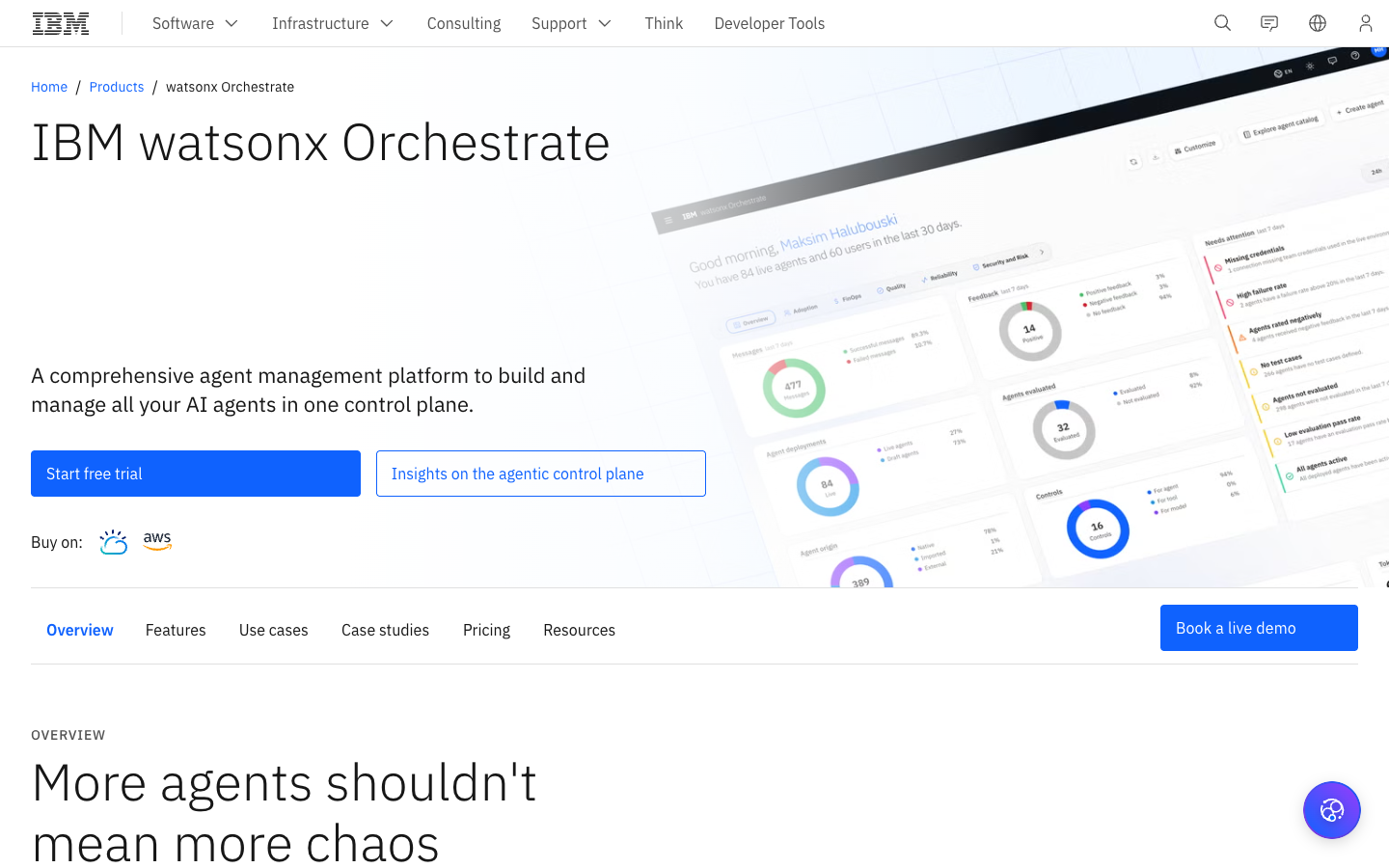
What it does: IBM watsonx is IBM's family of enterprise AI products, led by watsonx Orchestrate, "a comprehensive agent management platform to build and manage all your AI agents in one control plane," with watsonx.governance and watsonx.ai alongside it.
IBM's pitch is control across a messy estate. Orchestrate scans supported third-party environments, including Amazon Bedrock, and pulls those agents into one control plane, where it coordinates native and external agents, tracks tool-call success, and shows token spend per agent portfolio.
Integrations lean into the systems big enterprises run on: SAP SuccessFactors, Workday, Oracle HCM, Salesforce, ServiceNow, and Dynamics 365, with RPA bots as a fallback when there's no API.
Riyadh Air uses Orchestrate to move data across more than 75 systems through over 1,800 integrations, in a build IBM Consulting coordinated.
watsonx.governance adds shadow AI detection, continuous monitoring, and framework content for the EU AI Act, NIST AI RMF, and ISO 42001. It's also the pick here for predictive work, since watsonx.ai covers predictive and prescriptive models alongside generative ones.
How it scores
- Security and governance: Strong. A dedicated governance product, cross-agent risk policies, and on-prem deployment
- Native integration: Strong. SAP, Workday, Oracle, Salesforce, and ServiceNow connectors, plus MCP and A2A
- Agentic execution: Strong. Multi-agent orchestration and third-party agent discovery
- Company-data grounding: Partial. Knowledge agents cite sources, with a 10 GB document cap below Premium
Pros and cons
✅ Runs on IBM Cloud, AWS, or on-premises, which few platforms here offer
✅ Governs agents built elsewhere, so it fits a multi-vendor estate
✅ IBM says it doesn't use your prompts or work to improve its models
❌ Platform SSO requires working with IBM Support, per IBM's SSO documentation
❌ Certifications vary across the family, and IBM's docs state watsonx.governance isn't SOC 2 certified
❌ The jump from Essentials ($530 a month) to Standard ($6,360 a month) is steep
What users say
"The thing that has held up across every project is that Orchestrate lets me define an agent by its goal and its tool inventory rather than by a flowchart." (Verified user in accounting, G2)
"One of the main challenges with IBM watsonx Orchestrate is that the initial setup and workflow configuration can be more complex than expected, especially for organizations trying to automate processes across multiple enterprise systems with different integration requirements." (Arkajit D., CTO, G2)
Pricing
watsonx Orchestrate Essentials starts at $530 per month (4,000 monthly active users) and Standard at $6,360 per month (40,000 MAU).
Premium is quote-based with data isolation and a HIPAA-ready option, per the Orchestrate pricing page as of September 2026. watsonx.governance starts at $3,500 per month on IBM Cloud.
IBM makes the most sense for large, regulated enterprises with SAP-heavy back offices and a consulting budget to match. Smaller teams will find it heavy.
4. Amazon Bedrock
What it does: Amazon Bedrock is AWS's managed platform for building generative AI applications and agents on a choice of foundation models, inside your own AWS account.
Bedrock is the foundation layer for teams whose data and security tooling already live in AWS. One API reaches hundreds of models from Anthropic, Meta, Amazon, and others, and AWS states plainly that Bedrock "never stores or uses your data to train models."
The agent story changed this year.
Bedrock Agents Classic is closed to new customers, and AWS now points builders to Bedrock AgentCore, a set of services for runtime, gateway, identity, memory, policy, and observability that works with LangChain, the OpenAI Agents SDK, the Claude Agent SDK, and Strands.
AgentCore Policy checks every tool call against rules written in Cedar before the agent is allowed to act, which is the kind of control a security team asks about first.
Grounding runs through a managed Knowledge Base that connects to S3, SharePoint, Confluence, Google Drive, and OneDrive, with an agentic retrieval mode for multi-hop questions.
On the proof side, AWS says Robinhood scaled from 500 million to 5 billion tokens a day in six months while cutting AI costs by 80%.
How it scores
- Security and governance: Strong. IAM, PrivateLink, CloudTrail, Guardrails, FedRAMP High, and HIPAA eligibility
- Native integration: Partial. AWS services and a handful of knowledge connectors; ERP and CRM access goes through APIs, Lambda, or MCP
- Agentic execution: Strong. AgentCore runtime, gateway, memory, and Cedar policies
- Company-data grounding: Strong. Managed RAG with agentic retrieval
Pros and cons
✅ Switching models doesn't mean rewriting application logic, which matters when the best model changes every quarter
✅ Guardrails can apply one policy across an entire AWS Organization, and even to models hosted outside Bedrock
✅ Inference and the agent runtime stay inside AWS
❌ AgentCore is built for developers, so business teams won't build on it directly
❌ On-demand throughput quotas and model availability vary by region
❌ AWS only, with no on-prem option
What users say
"The unified API makes it very easy to experiment with, and switch between, industry-leading models like Anthropic Claude, Meta Llama, and Amazon Titan without having to rewrite application logic." (Hruthik G., G2)
"What could be improved for Amazon Bedrock to make it more mature is that AWS needs to consider bringing their platforms together, and not having different ML and AI platforms." (Data lake and MLOps lead at an energy company, PeerSpot)
Pricing
Bedrock charges pay as you go per million input and output tokens, at rates set by each model, with Standard, Flex, Priority, and Reserved service tiers. Guardrails, Knowledge Base storage ($5 per GB a month), and AgentCore usage are billed separately, per the pricing page as of September 2026.
If your platform team lives in AWS and wants to own the agent code, Bedrock gives you the most room to build. Budget real engineering time, though, because very little of it is point-and-click.
5. Google Gemini Enterprise
What it does: Gemini Enterprise is Google's employee-facing AI app for searching company data, running agents, and building no-code workflows, backed by Google's developer platform for custom agents.
The naming needs a quick decoder. The Gemini Enterprise app replaced Google Agentspace, and Vertex AI now lives inside Gemini Enterprise Agent Platform, which Google calls the "evolution of Vertex AI." Developers build on the platform; employees use agents in the app, and admins govern them there.
The strength here is grounded search. Connectors reach Google Drive, SharePoint, OneDrive, Jira, Confluence, Salesforce, ServiceNow, and dozens more, and agents like Deep Research run hundreds of searches across the web and access-controlled company data.
Workflow Builder handles no-code agents, and outside agents plug in over the Agent2Agent (A2A) protocol.
Google's FAQ states that prompts, outputs, and data aren't used to train Google models. Berenberg reports generating content 85% to 90% faster with AI-assisted workflows, according to Google.
How it scores
- Security and governance: Strong. SOC 2, ISO 27001, HIPAA, and FedRAMP coverage, plus VPC Service Controls and CMEK on Standard and Plus
- Native integration: Strong. A large connector catalog, including Salesforce and ServiceNow, plus custom MCP servers
- Agentic execution: Partial. No-code Workflow Builder and A2A, with fewer action connectors than search connectors
- Company-data grounding: Strong. Permission-aware search is the core of the product
Pros and cons
✅ Deep Research and grounded search work well on day one if your knowledge lives in connected tools
✅ Data residency, CMEK, and VPC Service Controls are available for regulated workloads
✅ A single app for employees, with admin control over which agents they can use
❌ The strongest controls sit on Standard and Plus, and Business caps at 300 seats
❌ Some controls don't apply when grounding with Google Search is turned on, per Google's compliance documentation
❌ Reviewers say connecting non-Google systems takes more work than expected
What users say
"Its deep Integrations with Google Workspace and external databases make retrieving data seamless, while the overall Performance is fast and responsive." (Verified user in education management, G2)
"While it integrates extremely well within Google Workspace, but extending it cleanly into non Google tools or custom stacks takes more effort than expected." (Rishabh C., GenAI marketing lead, G2)
Pricing
Business starts at $21 per seat per month and Standard and Plus are quoted through sales. A pay-as-you-go option is also available with a one-seat minimum, per the Gemini Enterprise page as of September 2026.
Gemini Enterprise earns its place when the job is "help 5,000 people find and use what we already know." It's less convincing when the job is changing records in systems Google doesn't own.
6. Salesforce Agentforce
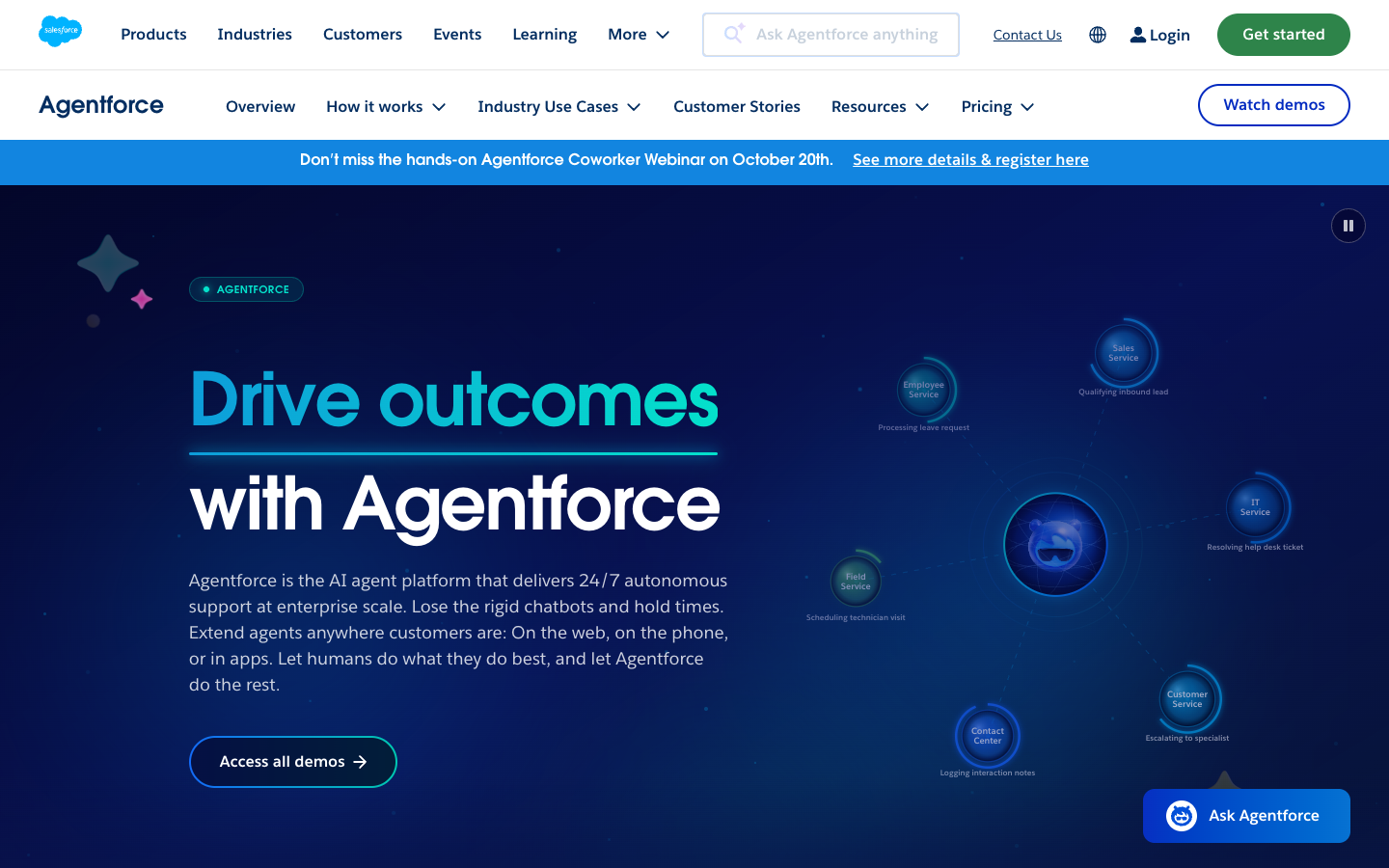
What it does: Agentforce is Salesforce's platform for building and running AI agents that act on CRM data, from service and sales agents to custom multi-agent workflows.
If your customer data and processes already run through Salesforce, Agentforce is the shortest path to agents that do things there.
Agents reuse the Flows, Apex classes, prompts, and MuleSoft APIs you've already built, and purpose-built agents for service, SDRs, and sales coaching ship with prebuilt actions.
The data layer got a new name: Data Cloud is now Data 360, with 200+ connectors and zero-copy access to live data in Snowflake, Databricks, and Google Cloud.
The Salesforce Trust Layer (formerly the Einstein Trust Layer) masks PII before prompts reach the model and enforces zero data retention, meaning prompts and responses are never stored or used to train third-party LLMs.
The proof is concrete. Within three weeks of launch, Agibank's loan status agent was handling 22,500 customer inquiries a month with a 75% deflection rate.
How it scores
- Security and governance: Strong. Trust Layer masking and zero retention, FedRAMP High, ISO 42001, and inherited Salesforce permissions
- Native integration: Partial. Deep inside Salesforce; outside systems go through MuleSoft or Data 360 connectors
- Agentic execution: Strong. Actions through Flows and Apex, long-horizon runtime, and multi-agent orchestration
- Company-data grounding: Strong. Data 360 zero-copy access plus grounding on live CRM records
Pros and cons
✅ Agents act on CRM records with the permissions Salesforce already enforces
✅ Existing Flows and Apex become agent skills, so admins aren't starting from zero
✅ FedRAMP High authorization, which matters for public-sector teams
❌ Metered pricing (per conversation or per action) is hard to forecast, and Data 360 credits are billed separately
❌ Agent logic is tied to Salesforce and doesn't port easily to other frameworks
❌ Results depend heavily on clean CRM data and tuning time
What users say
"It leverages platform tools you already have in place—Flows, Apex classes, and MuleSoft APIs—treating them as modular skills." (Avinash B., Salesforce admin, G2)
"The conversation-based billing model (paying per conversational turn or session) makes budgeting unpredictable compared to traditional user-license seats." (Avinash B., Salesforce admin, G2)
Pricing
Flex Credits cost $500 per 100,000 credits (a standard action uses 20), conversations are $2 each, and Sales, Service, and Field Service add-ons run $125 per user per month. Agentforce 1 Editions start at $550 per user per month, per the Agentforce pricing page as of September 2026.
For CRM-centered work, few platforms get agents into production this fast. Once the workflow leaves Salesforce, expect the integration bill to climb.
7. ServiceNow AI Platform
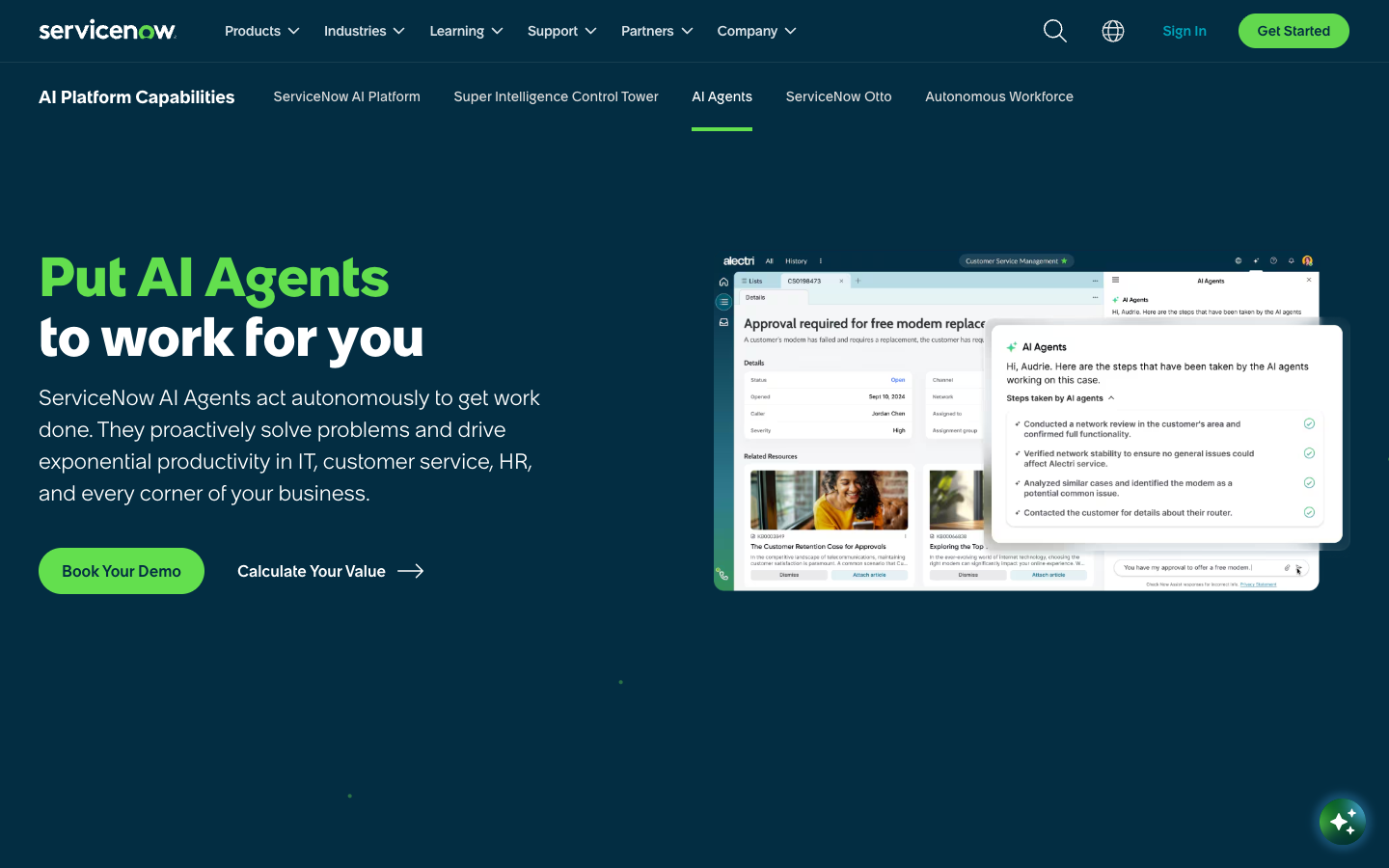
What it does: ServiceNow's AI Platform puts AI agents, an employee assistant, and AI governance inside the workflows ServiceNow already runs for IT, HR, and customer service.
The product lineup moved twice in the past year. ServiceNow completed its acquisition of Moveworks in December 2025, and in May 2026 it launched ServiceNow Otto, which combines Now Assist, Moveworks, and AI Experience into one assistant that's rolling out across the platform over the coming year.
The standout for governance teams is AI Control Tower, which inventories agents, models, and MCP servers across the enterprise (third-party ones included), blocks prompt injections, and ships content packs for the EU AI Act and NIST AI RMF.
AI Agent Studio and the Agent Orchestrator build and coordinate agents, and desktop agents automate apps that have no API.
For integration, Integration Hub offers prebuilt spokes, and zero-copy connectors reach Snowflake, BigQuery, Redshift, Databricks, and Oracle. Bell Canada reports 25% faster customer response times and 90% accuracy on AI-assisted cases.
How it scores
- Security and governance: Strong. AI Control Tower, SOC 2 Type 2, ISO 42001, and FedRAMP High on the government cloud
- Native integration: Strong. Integration Hub spokes plus zero-copy data access
- Agentic execution: Strong. Agent Studio, orchestration, and desktop and voice agents inside governed workflows
- Company-data grounding: Partial. Otto search covers documents and SharePoint, and grounding is strongest on data already in ServiceNow
Pros and cons
✅ Agents act inside ITSM and HR workflows you already run, with logging on every action
✅ AI Control Tower governs AI beyond ServiceNow, which is rare
✅ Government cloud options with FedRAMP High and DoD IL5
❌ Data sharing for AI improvement is on unless you opt out, and opting out can take five business days
❌ The full AI Agents package sits in the top Prime tier
❌ Messy ITSM data or workflows drag agent quality down, according to reviewers
What users say
"With direct access to real-time enterprise data and workflows, they can autonomously carry out complex, multi-step tasks." (Khushpreet K., G2)
"What I dislike the most is how difficult it is to figure out the usage limits and consumption patterns." (Agnes P., head of brand marketing, G2)
Pricing
ServiceNow doesn't publish prices. AI is bundled into ITSM Foundation, Advanced, and Prime packages, each quoted individually, and AI Control Tower is priced through sales, per the ITSM pricing page as of September 2026.
ServiceNow is the natural pick if IT service management is where your AI agents need to live. Check the data-sharing setting on day one.
8. UiPath
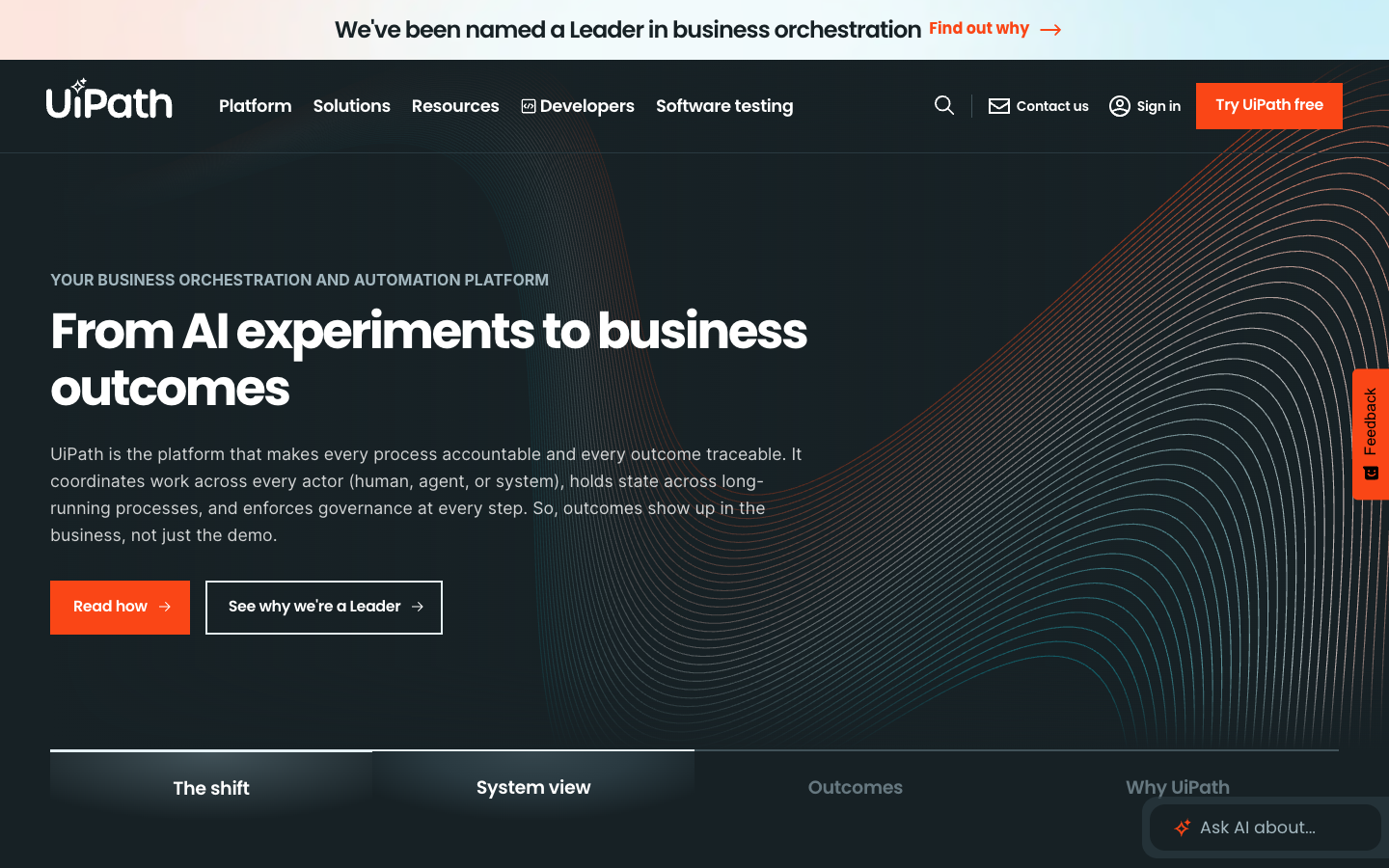
What it does: UiPath is a business orchestration and automation platform that coordinates AI agents, software robots, and people across long-running processes, including systems that have no API.
UiPath's advantage is reach. Its execution layer spans modern APIs, legacy UIs, mainframes, and document processing, so an agent can work in the old claims system nobody wants to touch.
Maestro Orchestrate coordinates agents from Claude, OpenAI, Gemini, Copilot, and UiPath itself inside one governed workflow, and processes pause for approvals and resume without losing state.
Governance is unusually thorough. UiPath lists ISO 42001, SOC 2 Type II, HIPAA, FedRAMP Moderate, and AIUC-1 certification, logs every agent action, prompt, tool call, and approver, and states that "your data never trains a model." You can self-host, including air-gapped.
PromptCare, a healthcare provider, cut prior-authorization tasks that took 20 to 30 minutes down to under three with Agent Builder.
How it scores
- Security and governance: Strong. AIUC-1, ISO 42001, FedRAMP Moderate, a no-training policy, and air-gapped deployment
- Native integration: Strong. Salesforce, SAP, ServiceNow, and Workday connectors, plus RPA for systems without APIs
- Agentic execution: Strong. Maestro coordinates agents, robots, and humans with durable state
- Company-data grounding: Partial. Context Grounding offers managed RAG, and search isn't the center of the product
Pros and cons
✅ Automates legacy systems that other platforms here can't reach
✅ Tamper-evident audit logs export to your SIEM
✅ Process Mining adds a predictive view of where processes break
❌ Licensing gets expensive for smaller teams, a theme in G2 reviews
❌ Moving from RPA to agents takes a different mindset and a learning curve
❌ Reviewers want more visibility into why an agent made a given decision
What users say
"This reduces the need for complex rule-based workflows for every scenario, making automation more useful for daily tasks." (Arti P., intelligent automation engineer, G2)
"debugging can sometimes be challenging due to the dynamic nature of AI responses. The licensing cost may also be on the higher side for smaller teams." (Muhammad A., lead automation consultant, G2)
Pricing
Community is free, Basic starts at $25 per month (Europe-hosted, limited scale), and Standard and Enterprise are priced through sales, with agent calls and document extraction potentially billed on top, per the UiPath pricing page as of September 2026.
If your processes run through systems that were never built for AI, UiPath is the most practical way to put agents to work on them.
9. Glean
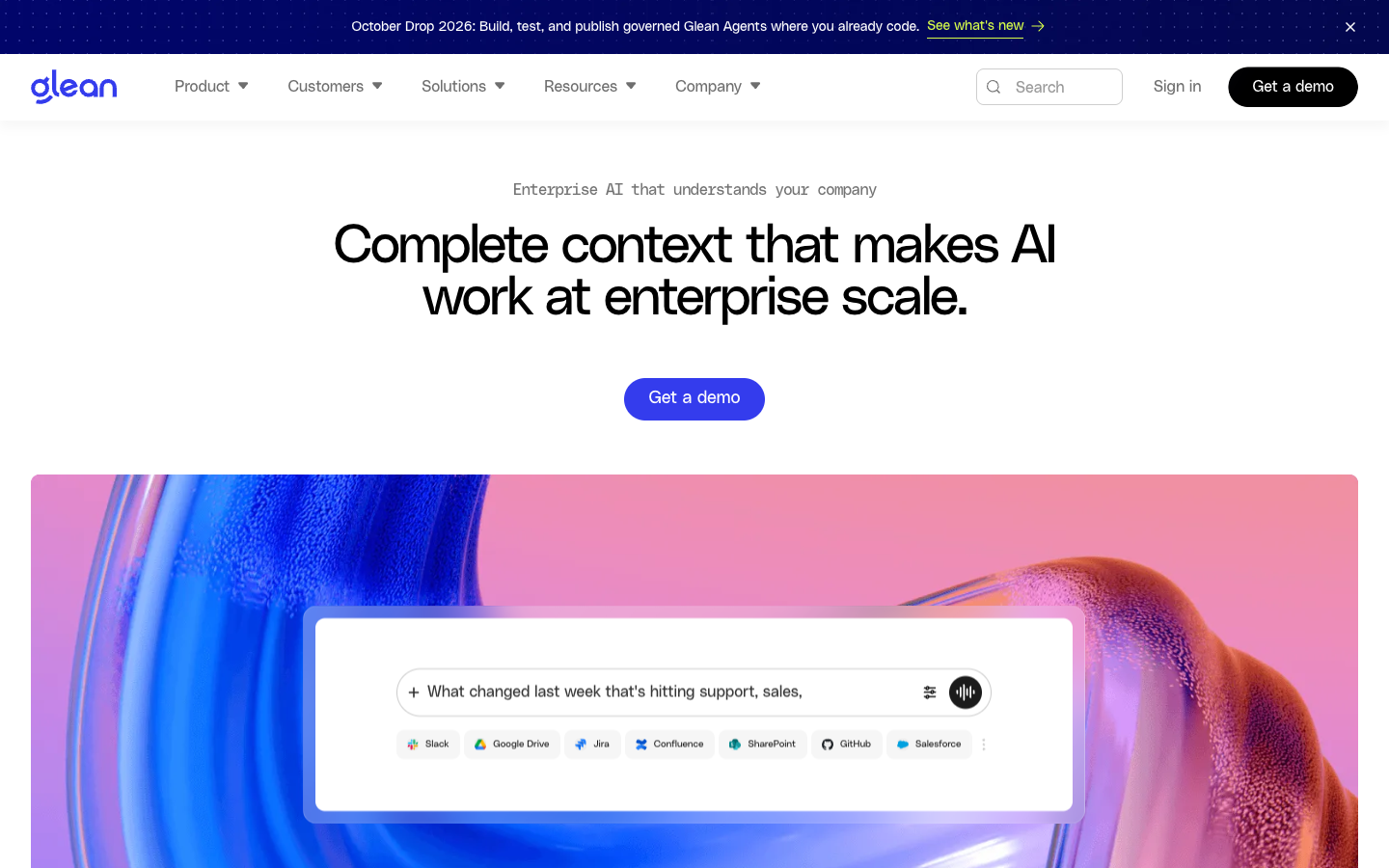
What it does: Glean is an enterprise AI search and agent platform that indexes company knowledge across hundreds of apps and answers questions with permission-aware, cited results.
Glean is the specialist in "where is that document and what does it say." Its 275+ connectors inherit and enforce source-system permissions in real time, so users only see what they're already allowed to see, and an Enterprise Graph maps people, content, and relationships to rank results.
Agents came next. Glean Agents plan and act on that context, run on events or schedules, and require approval before sensitive actions execute. Glean MCP also feeds governed context into tools like Claude Code, Cursor, and Copilot.
On data use, Glean configures model providers with zero-retention commitments, so customer data isn't stored or used for training by model vendors. Zillow reports 80% adoption across 7,000 employees, with each saving more than 1.5 hours of search time a week.
How it scores
- Security and governance: Strong. Permission-aware by design, SOC 2 Type II, ISO 27001, ISO 42001, and HIPAA, with some Glean Protect features still in beta
- Native integration: Partial. 275+ SaaS connectors, thinner on ERP and system-of-record writes
- Agentic execution: Partial. Agents act with approvals, and long-running process orchestration isn't the focus
- Company-data grounding: Strong. Real-time, permission-aware indexing is the core product
Pros and cons
✅ Answers stay inside each user's existing permissions
✅ Adoption tends to be high because search is something everyone needs
✅ Choice of 40+ models
❌ No public pricing, and reviewers say it's hard to justify for smaller teams
❌ Where a native connector is missing, teams need workarounds
❌ Results can be inconsistent on hard-to-find resources, per reviewers
What users say
"It also gives me helpful context around a question, or anything related to the question I'm asking, across all the integrated systems." (Igor S., implementation manager, G2)
"I need to access eCRs (Emergency Change Requests) and CRs (Change Requests) from Service now, but Glean isn't able to retrieve them." (Merced K., G2)
Pricing
Glean doesn't publish pricing; its pricing page redirects to the homepage, and quotes come through sales as of September 2026.
Glean fits best when the problem is knowledge scattered across 30 tools. For write-heavy automation, UiPath or ServiceNow is the closer fit.
10. Databricks
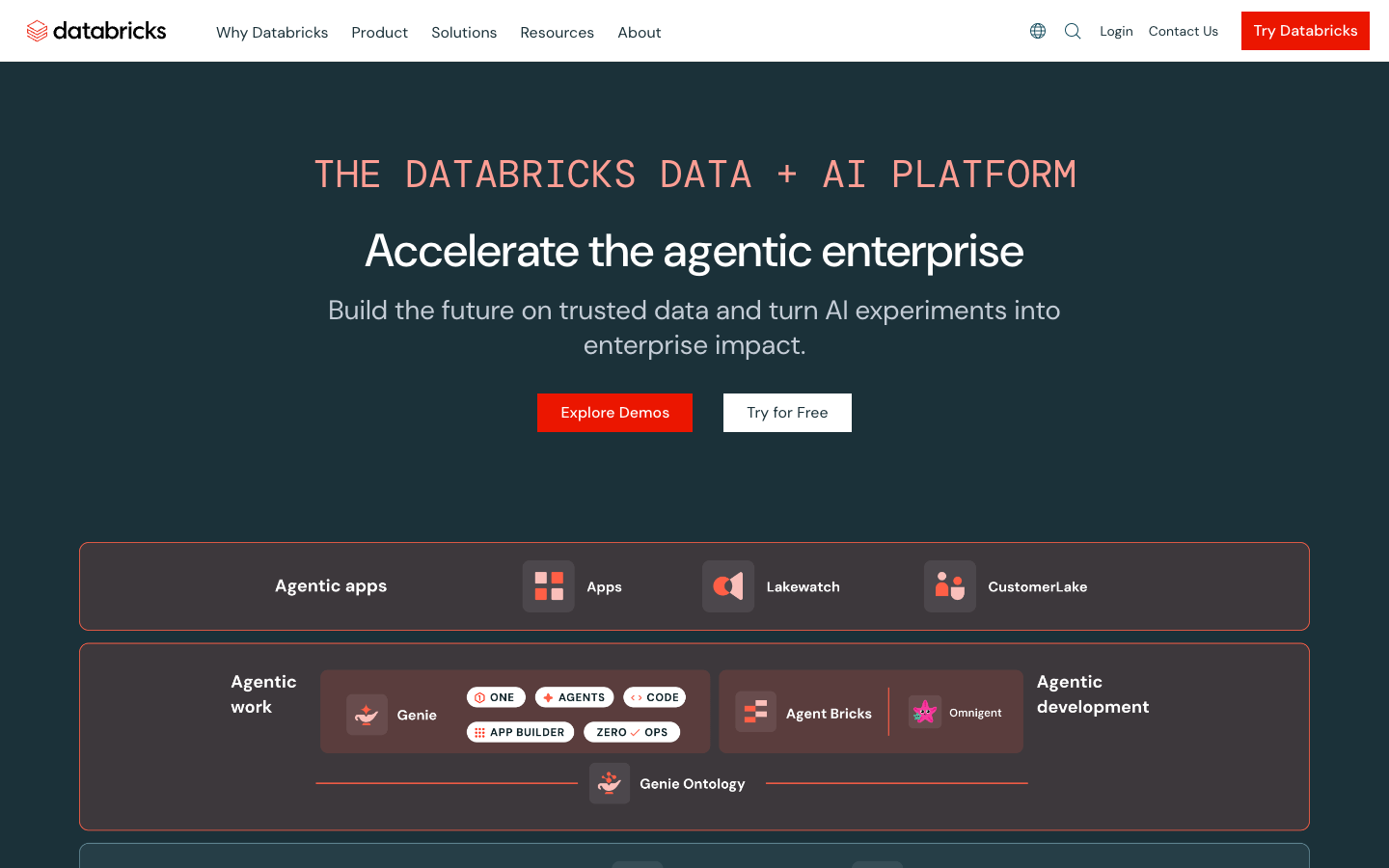
What it does: Databricks is a data and AI platform (now branded the Databricks Data + AI Platform) where teams build, govern, and serve AI agents and models directly on their lakehouse data.
Databricks wins on proximity to the data. Agent Bricks offers managed builders, including a Supervisor Agent for multi-agent orchestration and a Knowledge Assistant for cited Q&A over documents, plus code-first builds in LangChain, LangGraph, or LlamaIndex.
Models from OpenAI, Anthropic, Google, and Meta are available through one platform with routing and fallbacks.
Unity Catalog is the governance backbone, with column-level lineage, attribute-based access control, and credentials for tools and MCP servers in one place.
Databricks states that it doesn't use prompts or responses from its AI assistive features to train the foundation models it offers, and model partners don't retain that data.
It's also the strongest pick here for predictive analytics, since model training and serving live on the same platform. FinThrive cut the time spent understanding and debugging pipelines by up to 80% with Agent Bricks.
How it scores
- Security and governance: Strong. Unity Catalog lineage and ABAC, SOC 2 Type II, HIPAA, FedRAMP, and DoD IL5
- Native integration: Partial. 100+ Lakeflow connectors for ingestion, with fewer options for live actions in business apps
- Agentic execution: Partial. Supervisor Agent and MCP tools, mostly acting on data
- Company-data grounding: Strong. Agents sit on the governed lakehouse with vector search
Pros and cons
✅ Agents, ML models, and the data they need share one governance layer
✅ Runs in your own AWS, Azure, or GCP account
✅ Built-in evaluation captures every interaction and tool call
❌ Costs climb quickly without careful compute management
❌ Needs experienced data engineers to run well
❌ Agents are data-first, so business-workflow actions take extra work
What users say
"I find myself using Unity Catalog most frequently because it provides a unified governance solution for all data and AI needs on Databricks" (Satyam Wagh, consultant, PeerSpot)
"We need more experienced professionals to manage Databricks effectively, as it's not as forgiving as other platforms such as Snowflake." (Simon Robinson, governance and engagement lead, PeerSpot)
Pricing
Databricks is pay as you go in Databricks Units (DBUs), billed per second, with discounts for committed use. Agent Bricks Knowledge Assistant costs $0.15 per answer and Supervisor Agent $0.07 per DBU, though Databricks now limits both to existing customers, plus underlying services, per the Agent Bricks pricing page as of September 2026.
For data teams that want agents and predictive models on the same governed data, Databricks is the obvious home. Expect business users to reach it through dashboards and apps your data team builds.
Enterprise AI vendor evaluation checklist
A demo tells you what a platform can do. The security review tells you what it will do with your data, and that's where most enterprise AI deals get decided. These are the questions I'd put in front of every vendor on this list, with what a good answer sounds like.
If you're building your internal framework from scratch, the NIST AI Risk Management Framework is a solid, vendor-neutral place to anchor it, and our guide to enterprise AI security goes deeper on the controls.
1. Data residency and deployment
- Where does inference run? A good answer names the region and the cloud account. The strongest answer is "inside your VPC, on models your admins approve."
- Can production data stay in your network? Look for VPC, hybrid, or on-prem options, and ask which plan they're on.
- Which regions are supported, and do any features switch residency off? Some controls stop applying when a feature like web grounding is on.
2. Identity and access
- Does it support SSO through SAML or OIDC, and SCIM provisioning? Manual user management doesn't survive 5,000 employees.
- How granular is RBAC? Ask whether permissions reach the row or record level, and whether the AI inherits the permissions of the person asking.
- Can agents act with their own scoped identity? Borrowed human credentials are the fastest route to an incident.
3. Audit logging
- What gets logged? You want prompts, responses, tool calls, data access, and admin changes, each tied to a user and a timestamp.
- How long are logs kept, and can you export them? Your SIEM should be able to ingest them without a custom project.
4. What happens to your data
- Does the vendor or any model provider train on your prompts or outputs? Get that commitment in the contract, where an auditor can find it.
- How long are prompts and responses retained? Zero retention is available from several vendors here.
- Which subprocessors touch your data? Ask for the list, and ask what happens when it changes. Our guide to enterprise LLM security covers the contract terms worth pushing on.
5. Integration and change management
- Which systems connect natively, and which need custom work? Get the connector list for your actual ERP, CRM, and warehouse.
- Where are credentials stored? Centralized secret management beats API keys scattered across apps.
- Does it fit your SDLC? Git, environment promotion, and review gates matter once AI-built apps reach production. Our guide to software change management covers the basics.
6. Cost at scale
- What's the billing unit? Per seat, per action, per conversation, or per token each scales differently.
- What does year two look like? Model the bill at company-wide rollout, since a pilot price says very little about it.
Which enterprise AI solution should you choose?
Most large companies end up with more than one of these, one per layer. The useful question is which layer you're solving for first. If the answer is a platform for building your own AI apps, our ranking of AI development platforms goes deeper on that layer.
- Choose Superblocks if business teams are already building AI apps (or want to) and IT needs one governed place to approve, audit, and run them in your own AWS VPC.
- Choose Microsoft Copilot if your company runs on Microsoft 365 and you want AI inside Word, Outlook, and Teams, with Copilot Studio for custom agents.
- Choose IBM watsonx if you're a large, regulated enterprise with SAP or Workday at the core and you need to govern agents from several vendors at once.
- Choose Amazon Bedrock if your engineers want to build agents in code on AWS, with a choice of models.
- Choose Gemini Enterprise if your biggest problem is employees finding and using knowledge spread across Google and Microsoft tools.
- Choose Salesforce Agentforce if the work you want to automate starts and ends in your CRM.
- Choose ServiceNow if IT service management and HR workflows are where agents will do most of their work.
- Choose UiPath if your processes run through legacy systems and document-heavy steps that need robots and agents working together.
- Choose Glean if search and knowledge access across dozens of SaaS apps is the priority.
- Choose Databricks if your data team wants agents and predictive models on the same governed lakehouse.
Hold off on the category entirely if you haven't picked a first workflow, named an owner, or agreed on who approves data access. No platform on this list fixes a missing decision.
The verdict on enterprise AI solutions
Enterprise AI solutions have converged on security basics, so the choice now comes down to layer and reach. Copilots help individuals, foundation platforms help engineers, and function-specific agents help one department at a time.
One test is worth running before any shortlist: take one real workflow, say onboarding a vendor, and walk it through the checklist above with each finalist.
The platform whose answers you can verify in its documentation, without a follow-up call, is usually the one that survives the security review.
Give business teams AI that IT can govern
Most of the solutions above make a single team faster: service with Agentforce, knowledge work with Copilot or Gemini, and engineering with Bedrock or Databricks.
The harder problem shows up a year in, when every department has built its own AI apps and nobody can say what data they touch or who can use them.
That's a sprawl problem, and it gets more expensive with every app nobody can account for. The license fee is the small number on that bill; the big one is an orphaned app still holding production credentials.
Superblocks gives those teams a governed place to build. Business users describe the app to Clark, IT sets the guardrails once, and every app inherits the same permissions, audit trail, and deployment path.
With Superblocks, teams can:
- Build internal AI apps with Clark by Superblocks on 50+ integrations, including Postgres, Snowflake, and Salesforce
- Import prototypes from Claude, ChatGPT, Lovable, and Replit into an IT-approved path to production
- Run the full platform inside their own AWS VPC, with inference on Bedrock models their admins approve
- Enforce SSO, audit logs, and secrets management centrally on Enterprise plans, so no app ships with borrowed credentials
- Audit every build, query, and integration call, and query it all through the Superblocks MCP
- Catch vulnerabilities before release with security agents, SBOMs, and continuous CVE scanning
When every AI app lands in one governed platform, the question IT asks changes from "what did someone build this time?" to "what should we build next?"
Book a demo to see how Superblocks turns AI app sprawl into a system of record your security team can sign off on.
Frequently asked questions
What is an enterprise AI solution?
An enterprise AI solution is an AI platform or application built to run across a large organization. It connects to company systems and data, automates multi-step work, and operates under the security, governance, and compliance controls IT sets, including SSO, role-based access, and audit logging.
Enterprise AI software covers the full range, from employee assistants to agent platforms and governed app builders.
Who are the top enterprise AI solution providers?
The top enterprise AI solution providers include Superblocks, Microsoft, IBM, AWS, Google, Salesforce, ServiceNow, UiPath, Glean, and Databricks.
They cover different layers: governed app building (Superblocks), employee copilots (Microsoft, Google, Glean), foundation-model platforms (AWS, IBM, Databricks), and function-specific agents (Salesforce, ServiceNow, UiPath).
Who is leading in enterprise AI?
Microsoft, Google, and AWS lead in enterprise AI on platform breadth, because they control the cloud infrastructure, the foundation-model access, and the productivity suites most companies already run.
Specialists lead inside their lanes, such as Salesforce for CRM agents, ServiceNow for IT workflows, and Superblocks for governed internal AI apps.
What does enterprise AI cost?
Enterprise AI costs anywhere from about $21 per user per month for an employee AI app to custom enterprise contracts, depending on the billing model.
Copilots and assistants usually charge per seat, foundation-model platforms charge per token or per action, and agent platforms often mix seats with metered credits. Model the cost at full rollout, since pilot pricing rarely predicts it.
What is the difference between enterprise AI and consumer AI?
Enterprise AI differs from consumer AI in who it serves and what controls it runs under. Consumer AI serves individuals and whatever they paste in.
Enterprise AI connects to company systems, inherits existing permissions, logs activity for audit, and comes with contractual terms that keep your data out of model training.


Stay tuned for updates
Get the latest Superblocks news and internal tooling market insights.
Request early access
Step 1 of 2
Request early access
Step 2 of 2

You’ve been added to the waitlist!
Book a demo to skip the waitlist
Thank you for your interest!
A member of our team will be in touch soon to schedule a demo.
production apps built
days to build them
semi-technical builders
traditional developers
high-impact solutions shipped
training to get builders productive
SQL experience required
See the full Virgin Voyages customer story, including the apps they built and how their teams use them.

"Those tools are great for proof of concept. But they don't connect well to existing enterprise data sources, and they don't have the governance guardrails that IT requires for production use."
Table of Contents

Multiple authors
11 Best Secure Code Review Tools in 2026, Ranked With Pricing
Secure code review tools compared on coverage, noise, and price, plus the scanner and AI reviewer pair I'd use to catch flaws in AI-written code.