AI now writes code across the enterprise. Developers accept suggestions from coding assistants, agents open pull requests on their own, and business teams build whole apps with AI that no engineer has reviewed.
AI code governance tools control what AI writes before it ships. Qodo and SonarQube review AI-generated code and block merges that break team rules, Snyk scans it for vulnerabilities, GitHub Copilot and GitLab Duo set policies for the assistants and agents themselves, and Superblocks governs the apps business teams build with AI, from prompt to production.
Regulations caught up in 2026, with EU AI Act high-risk provisions now in force. The gap between what teams deployed and what they can prove has become an operational problem.
I compared nine AI code governance tools across code review, quality gates, security scanning, assistant and agent policies, runtime guardrails, and the governance of AI-generated apps. What matters is what each actually enforces versus what is documented.
Here's what each tool does well, where it honestly falls short, and which fits your team's biggest risk, whether that's the code your developers merge, the agents that write it, or the apps your business teams build with AI.
9 best AI code governance tools: TL;DR
- Qodo: Best for AI code review with enforceable team rules.
- SonarQube: Best for quality gates on AI-generated code.
- GitHub Copilot: Best for governing AI coding assistants and agents on GitHub.
- GitLab Duo: Best for AI governance inside the DevSecOps pipeline.
- Snyk: Best for security scanning of AI-generated code.
- Superblocks: Best for governing AI-generated apps, from prompt to production.
- Arthur: Best for agentic AI discovery and runtime guardrails.
- Fiddler AI: Best for AI observability and drift monitoring.
- Arize AI: Best for ML and LLM observability at scale.
How I evaluated these AI code governance tools
I assessed each platform against the jobs enterprises actually hire a code governance tool to do, drawing on vendor documentation, published pricing, and verified reviews on G2 and Gartner Peer Insights.
I noted where a tool documents governance versus enforces it, since that gap is where most programs fail. The criteria I used:
- Code review and quality gates: Whether it reviews AI-generated code against team rules and can block a merge that breaks them.
- Security scanning: Whether it finds vulnerabilities, secrets, and risky dependencies in AI-written code before release.
- Assistant and agent policy: Whether admins control which AI models, features, and agents developers can use, and what those agents may change.
- Audit evidence: Whether it records who, or what, changed and approved code, so you can show auditors how AI-written code reached production under the EU AI Act, NIST AI RMF, and ISO 42001.
- Runtime and observability: Whether it watches AI agents and LLM apps after they ship.
- Enterprise readiness: RBAC, SSO, audit logs, and deployment options for regulated environments.
This helped me see which tools cover a full governance stack and which solve one layer well, since most enterprises end up combining two or three.
For model risk and compliance governance (ModelOp, OneTrust, Holistic AI), see our guide to AI governance solutions.
9 best AI code governance tools: quick comparison
| 💻 Tool | ⚡ Strengths | 🎯 Best for | 💰 Starting price |
|---|---|---|---|
| Qodo | AI code review, rules enforcement | AI-written pull requests | From $30/mo (Pro Team) |
| SonarQube | Quality gates, AI Code Assurance | Gating AI code in CI/CD | Free / from $34/mo (Team) |
| GitHub Copilot | Assistant and agent policies, audit log | GitHub-standardized orgs | $19/seat/mo (Business) |
| GitLab Duo | Agent policies, AI audit events | GitLab DevSecOps teams | $29/user/mo (Premium, annual) |
| Snyk | Security scanning, agent guardrails | Securing AI-written code | Free / from $25/mo (Team) |
| Superblocks | Governed app building, audit logs | AI-built internal apps | From $125 per month (Teams) |
| Arthur | Agent discovery, runtime guardrails | Agentic AI at scale | Custom |
| Fiddler AI | Observability, explainability | ML and LLM monitoring | Custom |
| Arize AI | LLM tracing, free tier | Observability at scale | Free / $50 mo (Pro) / Custom |
Pricing checked October 2026. Code governance tools publish prices in different units (per seat, per team, by lines of code); runtime and observability platforms mostly use custom pricing. Verify with the vendor before committing.
1. Qodo: best for AI code review with enforceable team rules
What it does: Qodo is an AI code review platform that calls itself “the AI Code Governance Platform”, with review agents that check every pull request against your organization's standards.
Best for: Engineering teams using AI coding assistants who want every pull request reviewed against the same rules before it merges.
Qodo positions itself as the layer between “AI wrote it” and production. Its review agents learn rules from your codebase and past reviews, then enforce them before and after a pull request opens.
Key features
- Review agents: Pull request and pre-PR reviews that reason over full codebase and organizational context.
- Rules enforcement: Detects and enforces organizational standards in every review, with rules auto-discovered from your codebase and past reviews.
- Audit trail: Logs every code change and compliance flag for traceability (Enterprise plan).
- Cross-repo conflict detection: Flags breaking changes and downstream impact across repositories.
Pros
- ✅ Built specifically for governing AI-written code.
- ✅ Rules learned from your own codebase and review history.
- ✅ Does not train models on your code.
Cons
- ❌ Audit logs, SSO and BYOK are Enterprise-only.
- ❌ Some reviewers treat it as a first pass, with large diffs still needing human review.
What users say

“The confidence it adds to code review process while using AI tools like claude or cursor especially when working on a security-sensitive, HIPAA-compliant application.” Midha T, G2

“I dislike that Qodo includes probabilistic AI outputs requiring constant human oversight, occasional struggles with complex or non-standard code architectures, and a relatively high price point compared to basic linting alternatives.” Yunuen O, G2
Pricing
Qodo's Pro Team plan starts at $30 a month with monthly billing and no commitment, for teams of up to 30 users, with review credits pooled across the team. A 14-day free trial needs no credit card. Enterprise (30+ users, SSO, audit logs, single-tenant or on-prem) is custom. See Qodo pricing.
Bottom line
Qodo is the pick when you want every AI-written pull request reviewed against your own standards. Pair it with a security scanner, and with app-level governance if business teams also build with AI.
2. SonarQube: best for quality gates on AI-generated code
What it does: SonarQube is an automated code quality and security analysis platform that bills itself as “the trust and verification layer for your AI code”.
Best for: Teams that want a hard go/no-go gate in CI/CD, so AI-generated code can't merge until it meets quality and security standards.
Its AI Code Assurance workflow lets teams tag projects that contain AI-generated code, then holds that code to an AI-ready quality gate before release. Projects that pass earn a quality assurance badge.
Key features
- AI Code Assurance: Tag projects with AI-generated code and run them through a dedicated quality gate before release.
- Quality gates: Customizable go/no-go thresholds in CI/CD, so only code that meets your standards can merge or ship.
- SAST and secrets detection: Finds vulnerabilities in both developer-written and AI-generated code before production.
- Agent integrations: An MCP server and plugins for Claude Code, Cursor, Codex and GitHub Copilot CLI give coding agents your rules and verify their output.
Pros
- ✅ Merge-blocking quality gates for AI-generated code.
- ✅ Free tier and an open-source Community Build.
- ✅ Covers quality and security in one scan.
Cons
- ❌ False positives can cost review time, reviewers say.
- ❌ Audit logs, compliance reports and SCIM aren't in the entry tiers.
What users say

“The quality gates are especially useful because they help catch problems before code is merged, encouraging better coding practices across the team.” Kishor G, G2

“One thing I dislike about SonarQube is that it can sometimes produce false positives or flag issues that are not very relevant to the project.” Kishor G, G2
Pricing
SonarQube Cloud's Team plan starts at $34 a month for up to 100k lines of code, and a free tier covers private projects up to 50k lines. Enterprise is custom. Self-managed SonarQube Server is priced per instance per year by lines of code, and the Community Build is free and open source. See SonarQube pricing.
Bottom line
SonarQube is the choice when you want a deterministic gate in the pipeline that AI-written code must pass. It complements AI-native review tools like Qodo rather than replacing them.
3. GitHub Copilot: best for governing AI coding assistants and agents on GitHub
What it does: GitHub Copilot is GitHub's AI coding assistant. Its Business and Enterprise plans add AI Controls, which let admins decide which Copilot features, agents and models developers can use.
Best for: Organizations standardized on GitHub that need central policy over AI assistants and coding agents.
Policies are set at the enterprise level first. Admins can roll out the Copilot cloud agent in stages, allow or block MCP servers, and review an agentic audit log. Third-party agents such as Claude and Codex are configured separately, and agents running in VS Code are managed in the IDE, not through GitHub.
Key features
- Feature and model policies: Control which Copilot features, agents and models users can access, set at the enterprise level first.
- Agent management: Manage availability of Copilot cloud agent, Copilot code review and custom agents, with staged rollout policies.
- MCP controls: Allow or block MCP servers, or limit agents to a registry of approved ones.
- Audit log: Record agentic events and policy changes, and stream audit data to your own tools for retention.
Pros
- ✅ Governance built into the assistant many developers already use.
- ✅ Agent session and audit log visibility.
- ✅ Staged rollout of coding agents.
Cons
- ❌ Governs GitHub's own agents; third-party agents and VS Code agents are configured separately.
- ❌ Policies control the assistant, not the quality of the code it writes.
What users say
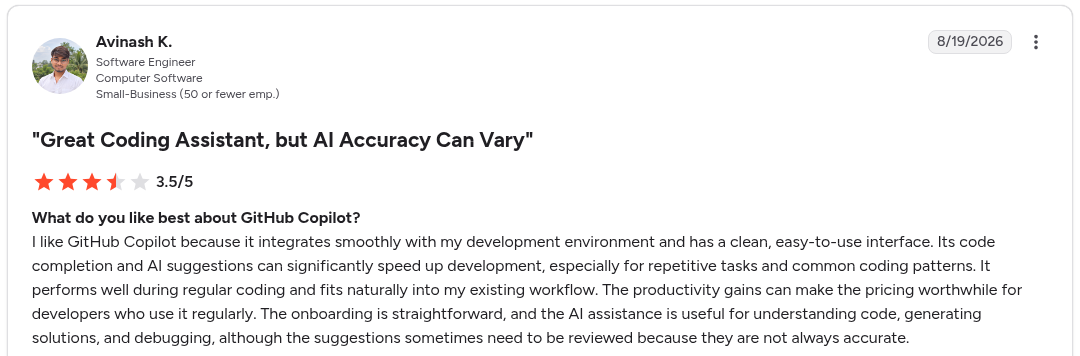
“I like GitHub Copilot because it integrates smoothly with my development environment and has a clean, easy-to-use interface.” Avinash K, G2

“The main limitation is that Copilot's AI suggestions are not always accurate and sometimes generate code that needs significant correction or review.” Avinash K, G2
Pricing
Copilot Business is $19 per granted seat per month and Copilot Enterprise is $39 per granted seat per month; Enterprise requires GitHub Enterprise Cloud. Each seat adds AI credits to a shared pool, and usage beyond it is billed at $0.01 per credit. See Copilot plans.
Bottom line
Copilot's AI Controls are the natural starting point if your developers already work in GitHub. They govern who can use which AI; add a review or scanning tool to govern what it writes.
4. GitLab Duo: best for AI governance inside the DevSecOps pipeline
What it does: GitLab Duo is GitLab's agent platform. It carries AI-written changes through review, tests, security and pipelines, and its AI Governance features let security teams monitor, audit and control AI agent activity.
Best for: Teams on GitLab Premium or Ultimate that want agent policy and audit in the same platform as their code.
Its governance covers GitLab's own agents and external agents such as Claude Code and Cursor that connect through the GitLab MCP server. Admins decide which agents, flows and models are allowed, and every agent action traces back to a real user's identity.
Key features
- Policy-driven AI control: Decide which agents and flows are allowed, where they can operate, and which models they can use.
- Agent tool governance: Allow, Ask and Deny policies for agent tools, enforced on the server at execution time (beta).
- AI audit events: A unified, filterable record of agent activity, plus an AI Governance Dashboard for sessions and audit logs.
- Spend caps: Set AI spend caps by subscription, group or user.
Pros
- ✅ Governance inside the pipeline your code already runs through.
- ✅ Covers external agents like Claude Code and Cursor.
- ✅ Self-hosted models on GitLab Self-Managed.
Cons
- ❌ AI Governance needs Premium or Ultimate, and tool governance is still in beta.
- ❌ Third-party clients that connect straight to the MCP server get fewer controls than GitLab's own agents.
What users say
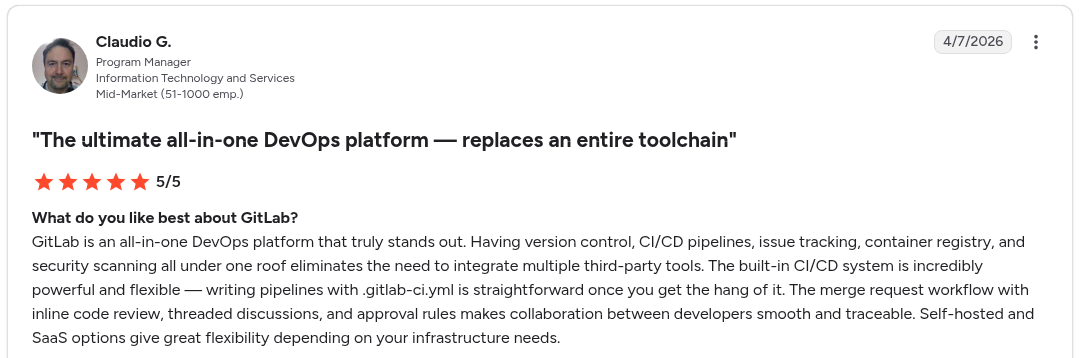
“The merge request workflow with inline code review, threaded discussions, and approval rules makes collaboration between developers smooth and traceable.” Claudio G, G2

“AI features are helpful in certain workflows, but I wouldn’t consider them the main reason to choose GitLab.” Manish R, G2
Pricing
GitLab Premium is $29 per user per month, billed annually, and includes $12 of GitLab Credits per user per month for AI features (a limited-time offer). Ultimate is custom and includes $24. Extra AI usage is $1 per GitLab Credit. See GitLab pricing.
Bottom line
GitLab Duo fits teams that want agent governance where the code already lives. Teams on GitHub get the equivalent from Copilot's AI Controls.
5. Snyk: best for security scanning of AI-generated code
What it does: Snyk is an AI-native application security platform that scans code, dependencies, containers and infrastructure, and now governs what AI coding agents use and generate.
Best for: Security teams that need vulnerabilities in AI-written code caught across every assistant and agent, not just one vendor's.
Snyk's argument is that the generator can't be the validator, so it checks code from Claude, Cursor, Copilot and Codex alike. Its Evo Agentic Development Security product adds guardrails inside coding agents and enforces an allowed list of MCP servers at execution.
Key features
- Deterministic engines: SAST, SCA, secrets, container, IaC and DAST scanning paired with AI reasoning.
- Secure at inception: Fixes vulnerabilities inside AI coding agents such as Claude, Cursor, Copilot and Codex before code is suggested.
- MCP governance: Discovers the MCP servers agents use and enforces your allowed list at execution.
- Fleet deployment: Deploys guardrails through MDM and endpoint management across every development environment.
Pros
- ✅ Tool-agnostic: validates code from any assistant.
- ✅ Mature security engines with curated vulnerability intelligence.
- ✅ Free plan for individuals and small teams.
Cons
- ❌ Agent security (Evo) needs an Enterprise subscription.
- ❌ False positives and alert volume can mean manual triage, reviewers say.
What users say

“Snyk stands out because it keeps application security simple and developer-friendly by integrating directly into the development workflow.” Hemanth K, G2

“Snyk can sometimes produce false positives and generate too many alerts, which can overwhelm teams and force a lot of manual validation.” Hemanth K, G2
Pricing
Snyk's Free plan is $0. Team starts at $25 a month, billed monthly, for development teams of up to 10 developers. Enterprise is credit-based (1 credit = $1) and is required for the Evo agent-security capabilities. See Snyk pricing.
Bottom line
Snyk is the pick when security, not style, is the risk in AI-written code. Pair it with a review tool for quality, and with app-level governance for what business teams build.
6. Superblocks: best for governing AI-generated apps
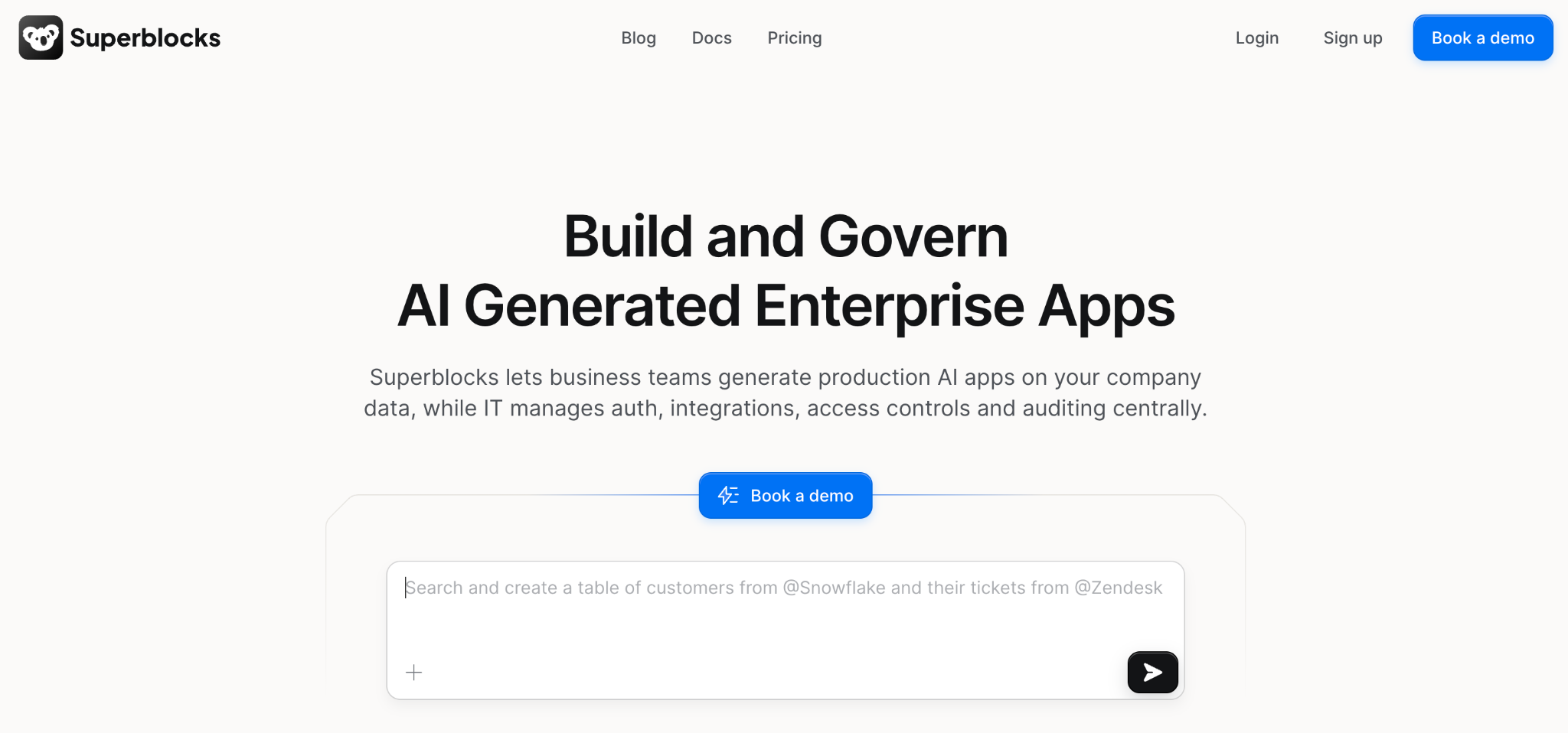
What it does: Superblocks is a governed enterprise vibe coding platform, built on a SOC 2- and HIPAA-aligned foundation, where business teams build internal apps with AI within guardrails that IT configures once.
Best for: Enterprises whose governance gap is the apps and agents their own teams build.
Most tools on this list govern AI-generated code: the suggestion, the pull request, the pipeline. Superblocks operates at a different layer: the AI-generated app itself, including what business teams build with AI, the data it connects to, who can use it, and how it reaches production. Those apps are often the least-governed AI in an org, because no developer workflow ever sees them.
Its MCP makes every app, builder, and integration queryable, so security teams get the audit-ready evidence auditors want at the app layer.
Key features
- 🔍 Superblocks MCP: Query who built what, what data it touched, who has access, and when it last ran.
- 📊 Audit logs: The platform captures build, query, integration access, and package install events with user attribution, so security teams can reconstruct what any app or builder did.
- 🧪 Security agents and scanners: test every code change before it reaches production, and the Security Center flags newly disclosed vulnerabilities in deployed apps.
- 🛡️ Deterministic guardrails: The platform enforces RBAC, SSO, and secrets management, letting business teams build quickly while IT keeps a consistent security and compliance posture.
- 📥 App import: brings prototypes built in Claude, ChatGPT, Lovable, Replit or raw code into Superblocks and takes them through an IT-approved path to production.
Pros
- ✅ Governs the AI-built apps other tools miss entirely.
- ✅ Enterprise access control and audit logs built in.
- ✅ Hybrid deployment keeps data in your VPC.
Cons
- ❌ Governs apps built on or imported into the platform; it doesn't review code in your developers' own repositories, so pair it with a code review or scanning tool for those.
- ❌ Not a compliance-documentation or bias-auditing suite.
What users say
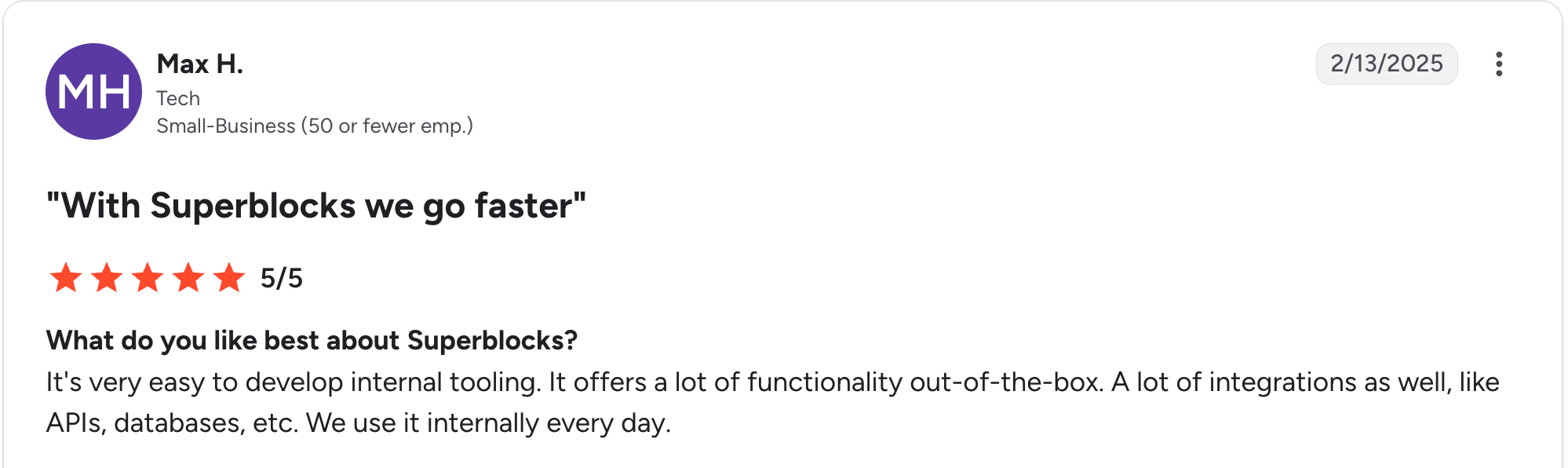
“It's very easy to develop internal tooling. It offers a lot of functionality out of the box.” Max H, G2

“There are some backend limitations, and components lack reusability across applications; also, it's still lacking diversity in its components offering.” Oscar C, G2
Pricing
The Teams plan is $125 per month billed monthly ($100 per month billed annually), with a 14-day free trial and 100 Governed Agent Units (GAUs) per month. Enterprise pricing is custom and adds VPC deployment, SSO, RBAC, audit logs, security agents and scans, and dedicated support. See Superblocks pricing for full plan details.
Bottom line
Superblocks is the choice when your real exposure is ungoverned app building with AI. Pair it with a code review or scanning tool for the code your developers write in their own repositories.
7. Arthur: best for agentic AI discovery and runtime guardrails
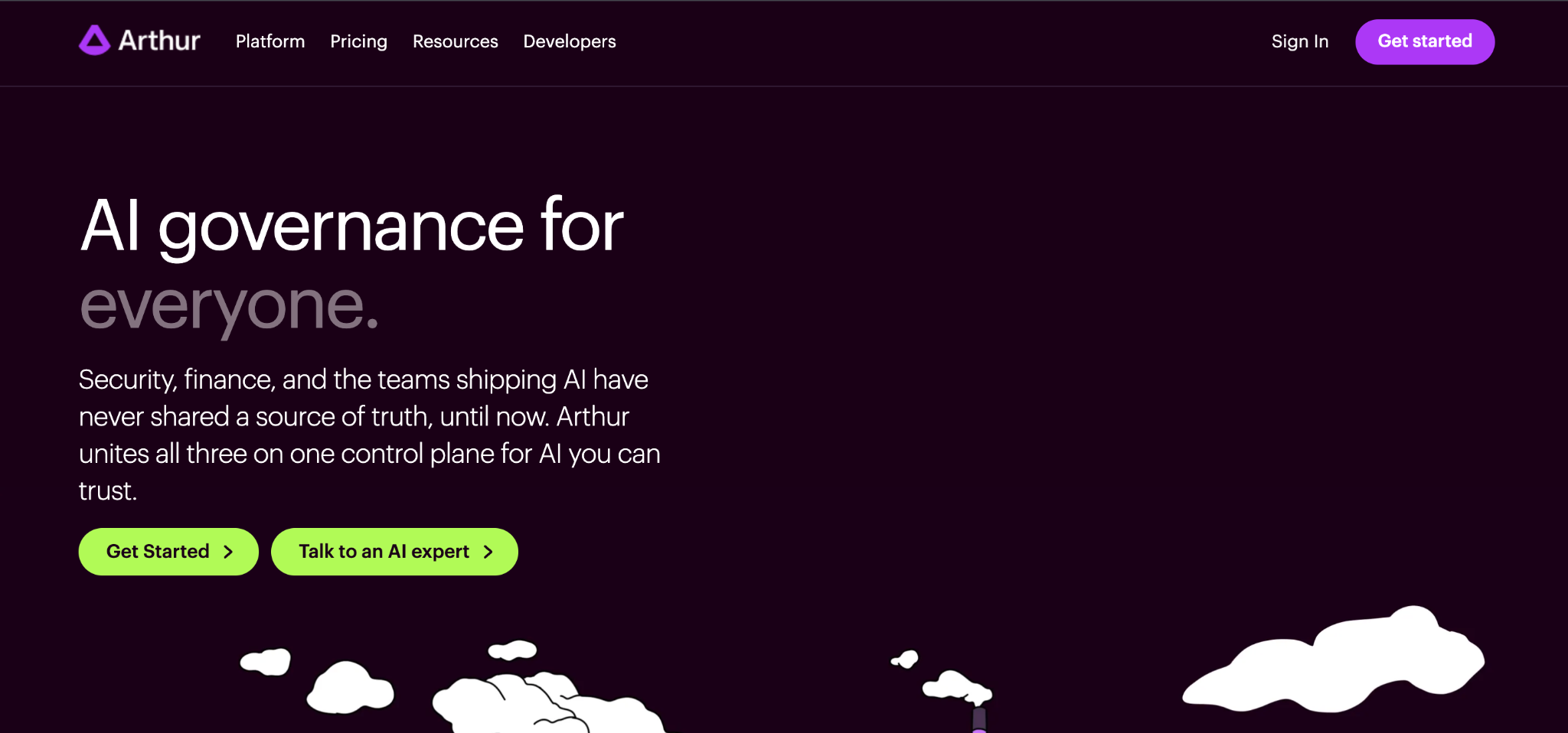
What it does: Arthur is an agent discovery and governance platform built from the ground up for autonomous agents.
Best for: Enterprises governing AI agents at scale across multi-cloud, multi-framework environments.
Arthur combines automated agent discovery, native runtime guardrails, and continuous evaluation on a single platform. Its data stays inside your VPC, which matters for sensitive inference.
Key features
- Agent discovery: Finds shadow agents across telemetry streams, MCP servers, and platform APIs.
- Runtime guardrails: Enforces policy in real time as an agent acts.
- VPC architecture: Sensitive inference data stays inside your network boundary.
Pros
- ✅ Built for agentic AI from the ground up.
- ✅ Runtime enforcement at the moment an agent acts.
- ✅ Available on Google Cloud and AWS marketplaces.
Cons
- ❌ Agent-first focus is broader than teams governing only static models need.
- ❌ Newer category with a shorter track record.
What users say

“Arthur is one of the best companies I have worked with in the AI field; their Solutions, which include Natural Language Processing, are really efficient and well developed.” Riad H, G2

“It's too costly to purchase.” Sudhir J, G2
Pricing
Arthur uses custom enterprise pricing based on agent volume and deployment. Contact Arthur for a quote.
Bottom line
Arthur fits enterprises running many agents that require both discovery and live enforcement. Teams governing only classic ML models may find it more than is required.
8. Fiddler AI: best for AI observability and drift monitoring
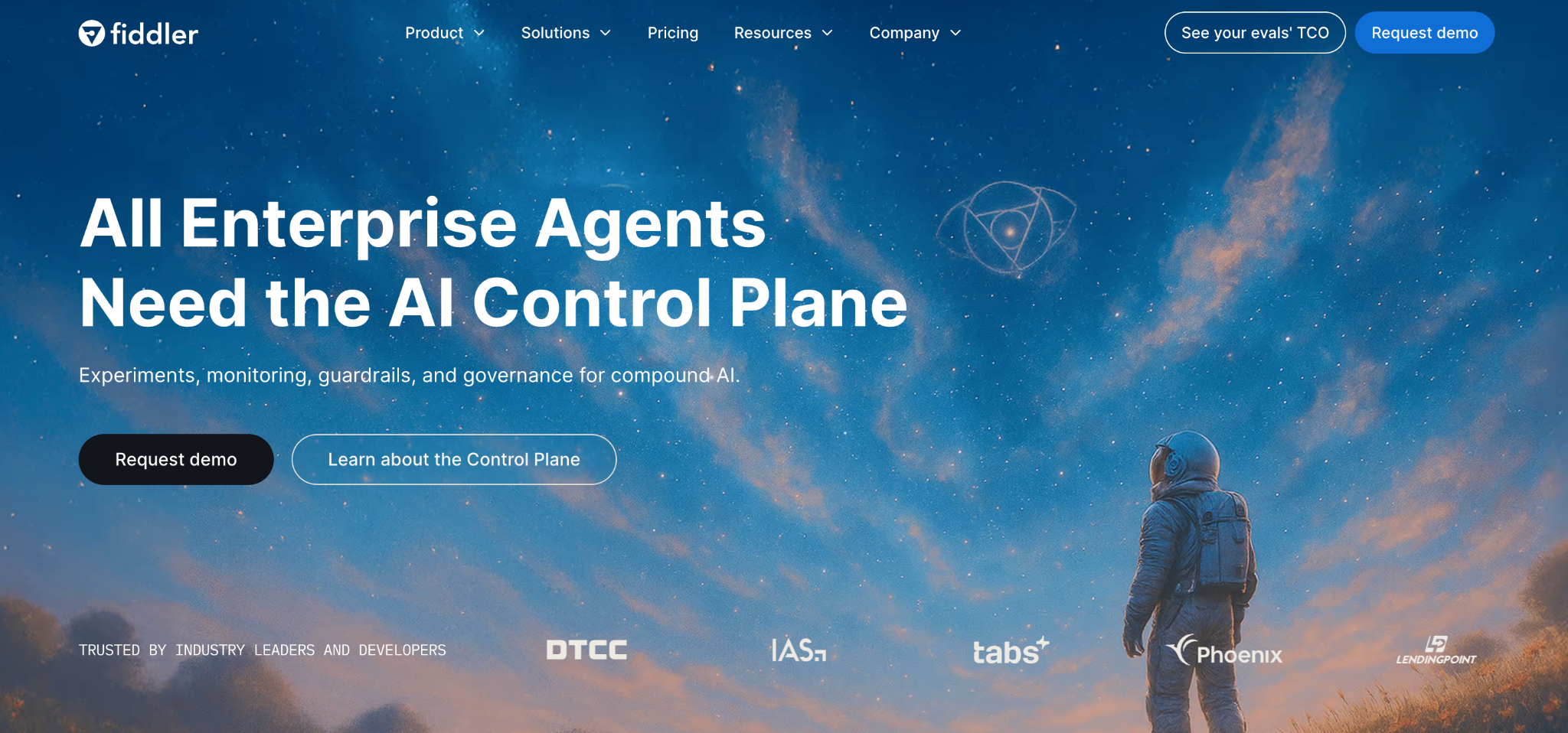
What it does: Fiddler AI provides real-time monitoring, explainability, and bias detection for ML models and LLMs in production.
Best for: Teams whose main governance need is watching model behavior in production.
Fiddler repositioned around agent tracing and guardrail scoring in 2026, extending observability into coding agents through its Lumeus acquisition. Its heritage is deep model monitoring.
Key features
- Drift monitoring: Tracks data drift, model drift, and prediction anomalies in production.
- Explainability: Generates a human-readable rationale for individual predictions.
- LLM guardrails: Detect hallucinations and prompt-injection attempts.
Pros
- ✅ Deep, mature observability for ML and LLMs.
- ✅ Strong explainability engine.
- ✅ Expanding into agent governance.
Cons
- ❌ Observability-first, lighter on policy documentation.
- ❌ Coding-agent features are still being integrated post-acquisition.
What users say

“There are very few good observability tools available in the market when it comes to AI models' monitoring. Fiddler's monitoring capabilities, especially around LLMs, are extremely powerful.” Ibrahim D, G2

“I wish there were a free version with a subset of features.” Verified User, G2.
Pricing
Fiddler AI uses custom enterprise pricing based on model and endpoint volume. Contact Fiddler AI for a quote.
Bottom line
Fiddler is the pick when production monitoring is your governance priority. Add a policy layer on top if you also need evidence of compliance.
9. Arize AI: best for ML and LLM observability at scale
What it does: Arize AI provides ML and LLM observability, including agent tracing and evaluation, with a free open-source Phoenix layer.
Best for: Teams ranging from a solo developer needing free tracing to enterprises needing large-scale production observability.
Arize covers the widest range of team sizes on this list, thanks to its free tier. Its multi-step agent tracing captures tool calls and routing decisions across workflows.
Key features
- LLM tracing: Multi-step agent tracing using OpenTelemetry.
- Evaluation: Built-in evaluation of model and agent behavior.
- Phoenix layer: Free open-source observability for smaller teams.
Pros
- ✅ Free open-source entry point.
- ✅ Scales to high-volume production observability.
- ✅ Strong agent tracing.
Cons
- ❌ Observability-focused, lighter on policy and compliance.
- ❌ Full enterprise features need a paid plan.
What users say
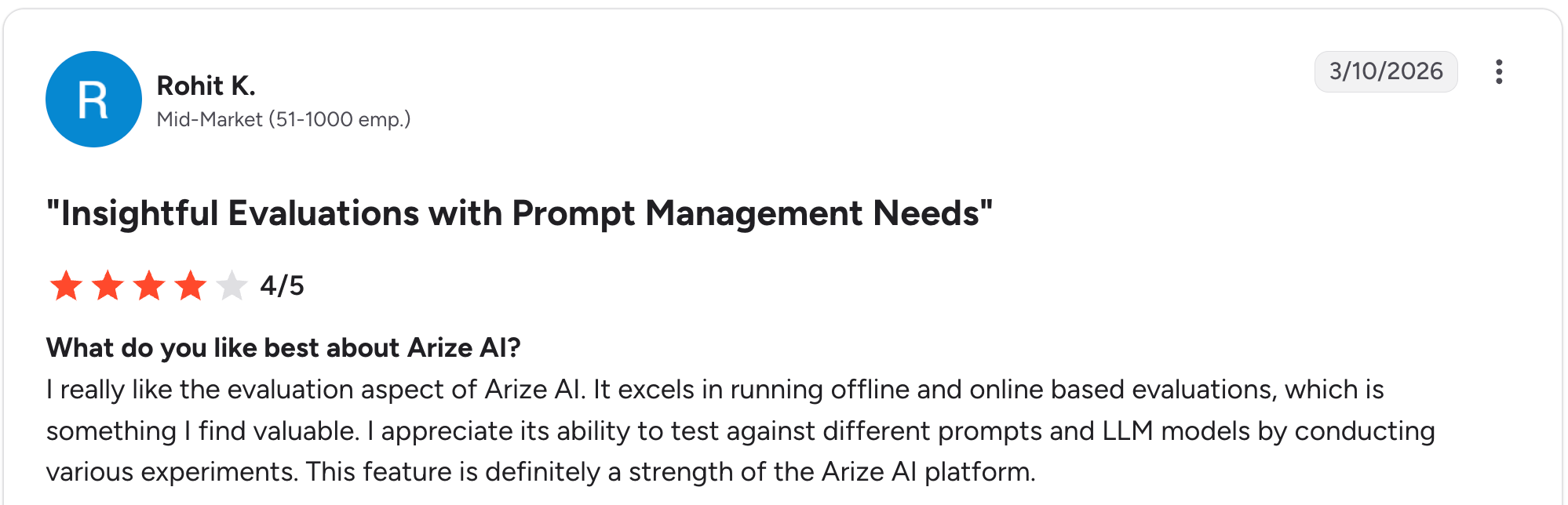
“I really like the evaluation aspect of Arize AI. It excels in running offline and online-based evaluations, which is something I find valuable.” Rohit K, G2

“It currently seems restricted to APIs with API keys, and it would be good to have other ways of connecting elements.” Yev K, G2
Pricing
Arize AX has three tiers: AX Free (25k spans/month), AX Pro at $50/month (50k spans, 30-day retention), and AX Enterprise at custom pricing. Phoenix, its open-source layer, is separately free. See Arize pricing for details.
Bottom line
Arize is the pick when observability is your entry point to governance, and you want to start for free. Add a policy layer as compliance needs grow.
Which AI code governance tool should you choose?
The right tool depends on which layer of governance has the biggest gap for you, since most enterprises end up combining two or three.
Choose Qodo if you:
- Want every AI-written pull request reviewed against your team's own rules.
- Need a traceable record of review findings across repositories.
Choose SonarQube if you:
- Want AI-generated code held to a quality gate before it merges.
- Already run static analysis in CI/CD and want it to cover AI-written code.
Choose GitHub Copilot if you:
- Standardize on GitHub and want one place to set AI assistant and agent policy.
- Need to roll out coding agents in stages with an audit log behind them.
Choose GitLab Duo if you:
- Run your code, CI/CD and security on GitLab and want AI governance in the same place.
- Need policy and audit over external agents like Claude Code and Cursor that connect through GitLab.
Choose Snyk if you:
- Need AI-written code scanned for vulnerabilities, whichever assistant wrote it.
- Want guardrails inside coding agents and control over the MCP servers they use.
Choose Superblocks if you:
- Worry most about the ungoverned apps your own teams build with AI.
- Need audit logs and access control at the app layer.
- Want every code change in those apps tested by security agents and scanners before it reaches production.
- Want to move prototypes already built in Claude, ChatGPT, Lovable or Replit onto an IT-approved path to production.
Choose Arthur if you:
- Govern many AI agents at scale across multi-cloud environments.
- Need runtime enforcement at the moment an agent acts.
Choose Fiddler AI if you:
- Need deep observability, explainability, and drift monitoring for ML and LLMs.
- Want production-first governance with policy on top.
Choose Arize AI if you:
- Want a free open-source entry point for LLM and agent tracing.
- Need to scale observability across high-volume production workloads.
Skip a dedicated platform if you:
- Have a small team using AI assistants on low-risk code, and your existing code review and CI checks already cover what it writes.
Final verdict
For AI-generated code, Qodo and SonarQube lead on review and quality gates, and Snyk leads on security scanning. GitHub Copilot and GitLab Duo govern the assistants and agents inside their own platforms. For production risk, Arthur and Fiddler lead on runtime and observability.
If your real exposure is the apps business teams build with AI, Superblocks governs a layer most of these tools don't touch: the AI-generated app, not just the AI-generated code. Most enterprises combine a code review or scanning tool, assistant policies, and app-level governance because no single tool covers the entire stack.
At Virgin Voyages, non-technical teams built 15+ production apps across seven departments on governed enterprise data, with zero dedicated frontend engineers and IT governance intact.
For broader context on governing AI inside your org, see our AI agent governance guide.
Want to see how the governed app-building layer works in practice? Start with the Superblocks Quickstart Guide.
Book a demo to walk through your specific governance stack and gaps.
Frequently asked questions
What's the best AI code governance platform?
The best AI code governance platform depends on what you need to control. Qodo leads for AI code review, SonarQube for quality gates, and Snyk for security scanning. GitHub Copilot and GitLab Duo govern the assistants and agents themselves, and Superblocks governs the apps business teams build with AI. Most enterprises combine two or three.
What is the best AI code governance platform for enterprise?
For enterprises, the best AI code governance platform enforces policy before code ships and keeps an audit trail of who, or what, approved it. Developer-heavy orgs usually pair a review tool such as Qodo or SonarQube with Snyk, and set assistant policy in GitHub Copilot or GitLab Duo. Where business teams also build apps with AI, Superblocks adds RBAC, SSO, audit logs and security scans on every code change in those apps.
Which AI code governance platform has the best features?
No single platform has every feature. Look for five: review against team rules, merge-blocking quality gates, security scanning, assistant and agent policy, and audit logs. Qodo and SonarQube are strongest on review and gates, Snyk on security, GitHub Copilot and GitLab Duo on assistant policy, and Superblocks on governing whole AI-built apps.
How much do AI code governance tools cost?
Most AI code governance tools publish entry prices: GitHub Copilot Business is $19 per seat per month, GitLab Premium $29 per user per month billed annually, Snyk Team from $25 a month, Qodo Pro Team from $30 a month, and SonarQube Team from $34 a month. Superblocks Teams is $125 per month billed monthly. Enterprise tiers, and runtime platforms like Arthur and Fiddler AI, are custom.
What is the difference between AI code governance and AI governance?
AI governance covers models: risk, bias, compliance documentation and regulatory mapping, handled by platforms like ModelOp, OneTrust and Holistic AI. AI code governance covers what AI writes: the code, the pull requests, and the apps built with AI assistants and agents. Superblocks sits on the code side, governing AI-generated apps from prompt to production.


Stay tuned for updates
Get the latest Superblocks news and internal tooling market insights.
Request early access
Step 1 of 2
Request early access
Step 2 of 2

You’ve been added to the waitlist!
Book a demo to skip the waitlist
Thank you for your interest!
A member of our team will be in touch soon to schedule a demo.
production apps built
days to build them
semi-technical builders
traditional developers
high-impact solutions shipped
training to get builders productive
SQL experience required
See the full Virgin Voyages customer story, including the apps they built and how their teams use them.

"Those tools are great for proof of concept. But they don't connect well to existing enterprise data sources, and they don't have the governance guardrails that IT requires for production use."
Table of Contents

Multiple authors
11 Best Secure Code Review Tools in 2026, Ranked With Pricing
Secure code review tools compared on coverage, noise, and price, plus the scanner and AI reviewer pair I'd use to catch flaws in AI-written code.