Retool vs PowerApps depends on who builds the apps. Retool serves developers on mixed data stacks and Power Apps serves Microsoft 365 teams, while Superblocks targets business teams that want vibe coding with IT governance.
I compared all three against each vendor's own pricing, docs, and release notes, so the figures below come from vendor pages and the reviews come from G2.
Retool vs PowerApps vs Superblocks at a glance
The table sorts the three by who builds and what each plan costs.
Choose Retool if: Your developers write the logic in code and build internal tools on top of the databases and APIs they run.
Choose Power Apps if: Your company works in Microsoft 365 and Dataverse, and your builders are business users who know Excel formulas.
Choose Superblocks if: Business teams will build with AI, and IT wants audit logs and a VPC deployment option in place before apps ship.
Retool vs PowerApps vs Superblocks: TL;DR
- Retool: Developer platform with JavaScript, Python, SQL, 74 listed integrations, and a managed PostgreSQL database. Team starts at $10 per builder per month, plus $5 per internal user, billed annually.
- Power Apps: Microsoft's low-code tool, based on Power Fx and Dataverse. Premium runs $20.00 per user per month, paid yearly, and premium, on-premises, and custom connectors need a standalone license.
- Superblocks: Clark builds apps from prompts, and Enterprise adds the governance layer, starting with audit logs. Teams starts at $125 per month billed monthly, for up to 15 builders.
Before you meet the contenders
All three target internal apps, and all three now offer AI app generation. Retool's homepage promotes securing vibe-coded apps, and Microsoft's overview says Copilot designs an app from a description. Superblocks builds its product around the Clark agent.
Superblocks also publishes a Retool comparison and a Power Apps alternatives roundup that cover each head-to-head in more detail.
Because the three overlap on both internal apps and AI, I compared them on coding model, data, version control and hosting, and cost.
Retool for developers building internal tools
Retool is a developer platform for building internal tools. It presented at Y Combinator's Demo Day in 2017, according to its CEO's founding story, and its homepage cites 10,000+ teams.
What stands out:
- Developers work in JavaScript, Python, and SQL, and Retool's Power Apps comparison page contrasts that with proprietary formula languages.
- Retool Database is a managed PostgreSQL database inside the platform, and cloud-hosted organizations get 5GB of storage and unlimited rows.
- The integrations page shows 74 integrations in 12 categories, including PostgreSQL and Claude Code.
- Templates are ready-made apps, including admin panels and dashboards for sources such as PostgreSQL and REST APIs, and the page says they can be used in one click.
- Retool's app generation works with models from OpenAI, Anthropic, Google, AWS, and Azure.
- The homepage also mentions an MCP server and a CLI, along with ZIP or GitHub imports of apps created in Lovable and Replit.
What it's good for: Companies with developers who run PostgreSQL and REST APIs, since Retool lists PostgreSQL and API integrations and supports branch-based review on Enterprise.
Where it runs into limits: Features move up the tiers. Business is $50 per builder plus $15 per internal user per month, billed annually, while Git source control, SSO, SCIM, and granular roles are available only on Enterprise, which is custom-priced.
Retool's docs add one more recommendation, which is a separate managed database for high availability.
Power Apps for Microsoft 365 teams
Microsoft's overview names two app types, canvas and model-driven, with data stored in Dataverse or read from SharePoint, Microsoft 365, Dynamics 365, and SQL Server.
What stands out:
- Power Fx follows Excel formulas closely, and Microsoft's overview says its function semantics are as close to Excel as possible.
- Copilot generates an app from a plain-language description, per the same overview.
- The Developer Plan is free for building and testing. Microsoft's guide lists a 2 GB database and says signups stop creating a developer environment on November 15, 2026.
- Microsoft 365 licenses grant use rights for apps on standard connectors, and there's no cap on the number of apps.
- Microsoft's product page cites HEINEKEN with 10,000+ apps and T-Mobile with 83,000 unique monthly users. Microsoft doesn't date either figure.
What it's good for: Business users in companies that use Microsoft 365, since Power Apps connects to SharePoint, Microsoft 365, and Dataverse data.
Where it runs into limits: A standalone license is required for premium, on-premises, and custom connectors, and Microsoft blocks new Dataverse for Teams environments starting November 15, 2026.
Additional Dataverse capacity costs $40.00 per GB per month, paid yearly.
Developer environments are changing too. Unmanaged ones, including those the Developer Plan creates, are suspended starting December 15, 2026, and deleted starting January 15, 2027.
The way to keep them is converting to a managed environment, and running apps there takes a premium license, since the Developer Plan includes no Managed Environments rights.
Superblocks for governed vibe coding
Superblocks' release notes list audit logs on April 13, 2026, Git-based source control going GA on May 20, 2026, and Claude Opus 5.5 becoming Clark's default model on October 9, 2026.
The company calls itself an enterprise AI vibe coding platform. Builders prompt Clark, and IT sets access through roles and reviews audit logs.
What stands out:
- Clark builds from prompts and uploaded files like screenshots and CSVs, and a Plan mode helps draft detailed prompts first.
- Builder edits, deploys, permission changes, and end-user activity within apps all land in audit logs.
- IT can hand AI clients the Admin MCP for role management, Clark chat history retrieval, and audit event aggregation.
- Git works with GitHub, GitLab, Bitbucket, and Azure DevOps, with edits on a
superblocks/livebranch and pull requests reviewed in your Git provider.
- Hybrid deployment keeps production data in your VPC, and Cloud-Prem runs the full platform, including inference, in your cloud environment. The deployment docs describe Cloud-Prem on AWS, and the pricing page also names GCP and Azure.
What it's good for: Organizations that want AI-generated apps with IT audit records and ownership of the code. The pricing FAQ says you own all generated code and can connect it to your Git repository.
Where it runs into limits: Git, VPC deployment, SSO, audit logs, and the Admin MCP require Enterprise, which is custom-priced, and Teams caps at 15 builders.
Retool vs PowerApps vs Superblocks feature breakdown
Prices in this article were read from each vendor's page on October 28, 2026. Each of the four sections below ends with a winner.
Coding model and who builds the app
Retool: JavaScript, Python, and SQL in apps and queries, aimed at developers who write code themselves. Anyone who creates or edits an app or workflow in a billing cycle counts as a builder, and builders are charged the higher price.
Power Apps: Logic is written in Power Fx, and Microsoft describes the language as Excel-like. Power Fx formulas can be stored as YAML source files for source control.
Superblocks: Prompting Clark produces the app, and Superblocks says apps export as clean React code. Git source control is only available for apps with TypeScript-backed APIs, per the May 20, 2026 release note.
Winner: Retool wins for engineering groups that want to write the logic themselves. Power Apps wins for business users who know Excel formulas, and Superblocks suits business users who would rather prompt than write formulas.
Data and integrations
Retool: 74 listed integrations, a managed PostgreSQL database, and templates to start from. The database retains daily backups for 7 days, and on the Free plan it pauses after one month of inactivity.
Power Apps: Connects to Microsoft data including Dataverse, SharePoint, Microsoft 365, Dynamics 365, and SQL Server. Premium connectors need a standalone license, and so does running apps on Dataverse, because Microsoft 365 licenses cover only a limited set of Dataverse capabilities.
Superblocks: Its pricing page shows 50+ integrations, against 74 on Retool's integrations page. Each count comes from the vendor's own page.
Clark builds against your data schemas, API docs, and integration configs, and works within each builder's existing permissions across sources such as PostgreSQL, Snowflake, Salesforce, and Databricks. Under Hybrid mode, Clark works only with non-production data.
On storage, Superblocks announced App Database on AWS in beta on June 1, 2026, and App Database on Snowflake Postgres in beta on June 8.
Winner: Retool for mixed stacks, with 74 integrations on its integrations page against Superblocks' 50+ on its pricing page. Power Apps leads when the data is stored in Microsoft services.
Version control, hosting, and governance
Retool: Source control, available only on Enterprise, connects to GitHub, GitLab, AWS CodeCommit, Bitbucket, and Azure Repos. Hosting is available on Retool Cloud or Kubernetes with Helm, and air-gapped deployments require Enterprise. Audit logs start at Business.
Power Apps: Dataverse Git integration syncs solutions with Azure DevOps or GitHub. Microsoft's guidance is to use it in developer environments and to deploy to test and production through pipelines.
Superblocks: Git, audit logs, the Admin MCP, and Hybrid or Cloud-Prem deployment are all Enterprise features. The 3.0 release post from August 3, 2026 describes the platform deploying inside your AWS VPC and running inference through your AWS Bedrock.
Winner: Superblocks for governing AI-generated apps, because a single Admin MCP covers Clark chat history and audit events. Retool adds an air-gapped hosting option, which Superblocks' pricing page doesn't list.
Pricing breakdown
Retool: Team costs $10 per builder plus $5 per internal user per month, billed annually, and Business costs $50 plus $15 on the same terms. Enterprise is custom, billed annually. The Free plan is $0 for up to 5 users.
Each plan comes with a monthly pool of AI credits (250 on Free, 1,000 on Team, 3,000 on Business, and 10,000 on Enterprise). Retool's page lists these prices as billed annually and shows a 20% saving for annual billing. For total cost of ownership, see Superblocks' Retool pricing guide.
Power Apps: Premium is $20.00 per user per month, paid yearly, or $12.00 at a 2,000-license minimum. The Developer Plan is free.
Two other licensing routes work differently. Per-app licensing ended for new customers in some channels on January 2, 2026, and pay-as-you-go bills through Azure meters.
For add-ons such as Dataverse overage and Power Automate licensing, see Superblocks' Power Apps pricing guide.
Superblocks: Teams starts at $125 per month, billed monthly, or $100 per month billed annually. It includes 100 Governed Agent Units per month (GAU packs are an add-on), up to 15 builders, unlimited end users, and 1 hosted app, with extra apps at $10 per app per month.
Teams has a 14-day free trial, and Enterprise, which adds the governance features covered above, is custom-priced.
Winner: Retool has the lowest entry price, at $10 per builder plus $5 per internal user. Power Apps wins for Microsoft 365 shops whose licenses cover standard connectors.
Superblocks wins for smaller companies that prefer one flat price for up to 15 builders, with hosted apps and GAU packs billed on top of that price.
What users say
G2 shows 4.6 stars from 364 reviews for Retool, 4.3 from 569 for Power Apps, and 4.7 from 190 for Superblocks as of October 2026.
To see what sits behind those scores, I read the reviews on each G2 page and picked one pro and one con per tool, each with the reviewer's name and date. The Superblocks reviews date from December 2024 and February 2025, so they predate the 2026 releases above.
Retool
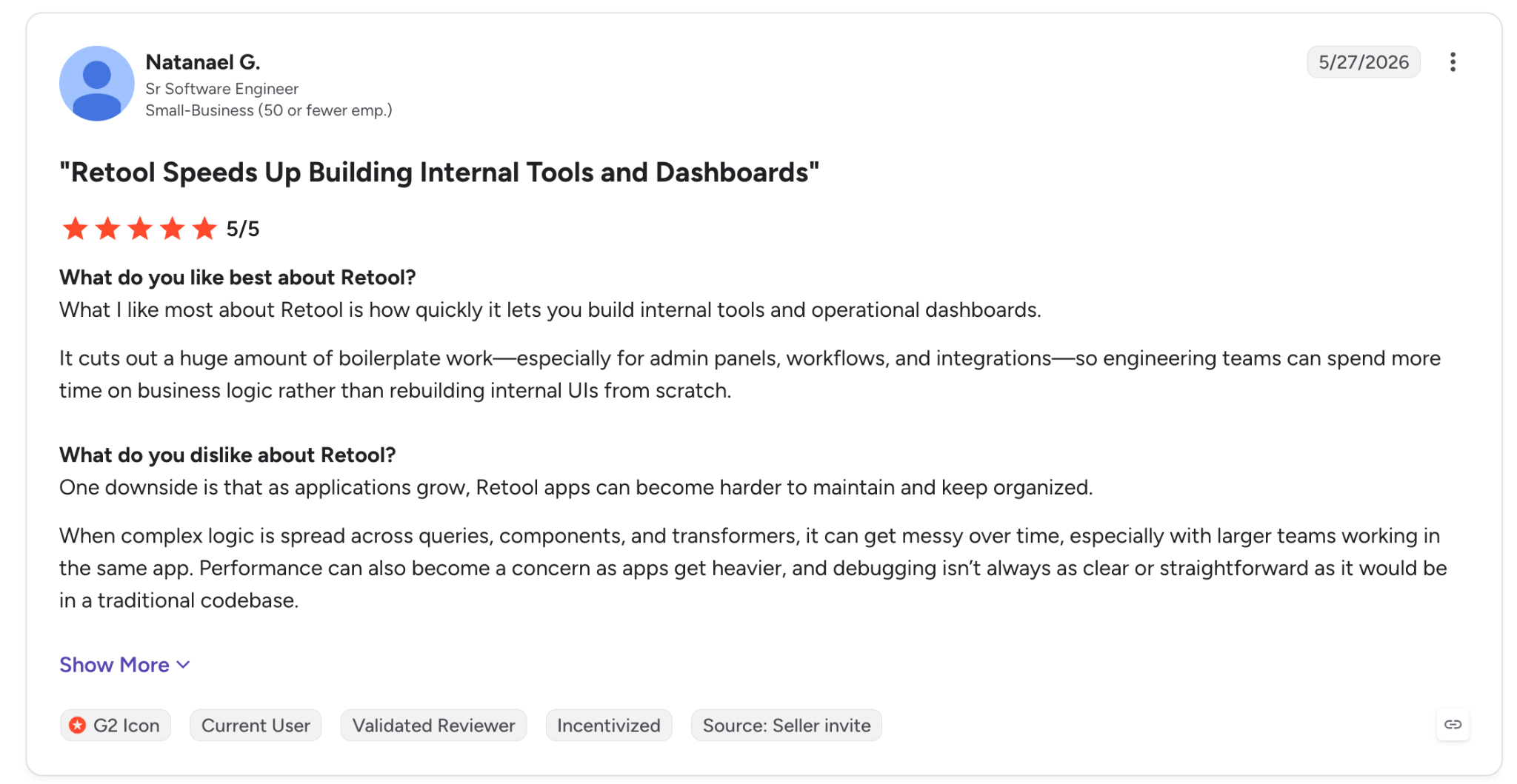
✅ Pro: Natanael G., a senior software engineer, writes that Retool removes boilerplate from admin panels and operational dashboards (May 2026, G2).
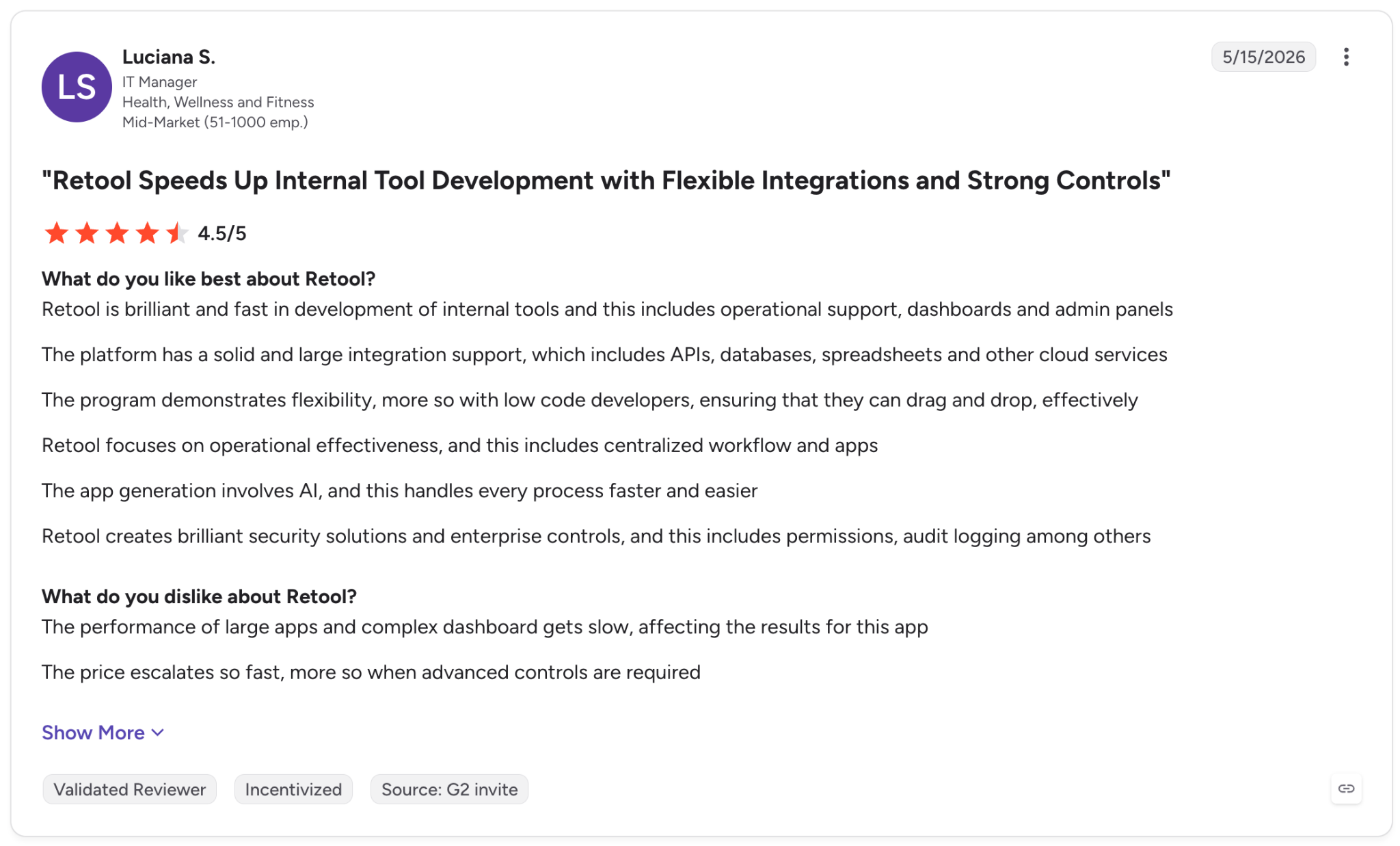
❌ Con: Luciana S., an IT manager, says the price climbs quickly once advanced controls are needed (May 2026, G2).
Power Apps
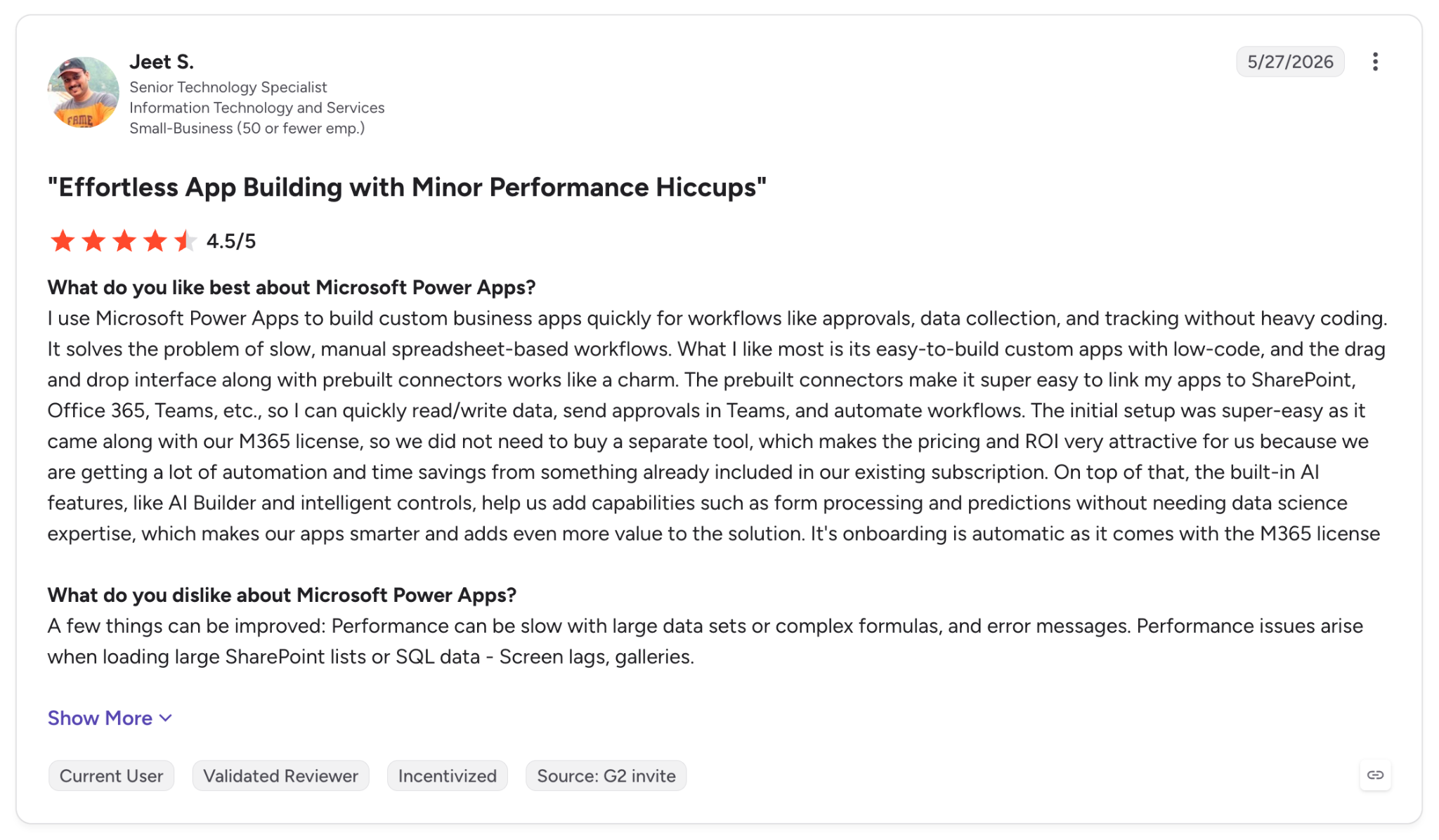
✅ Pro: Jeet S., a senior technology specialist, found setup easy because Power Apps "came along with our M365 license" (May 2026, G2).
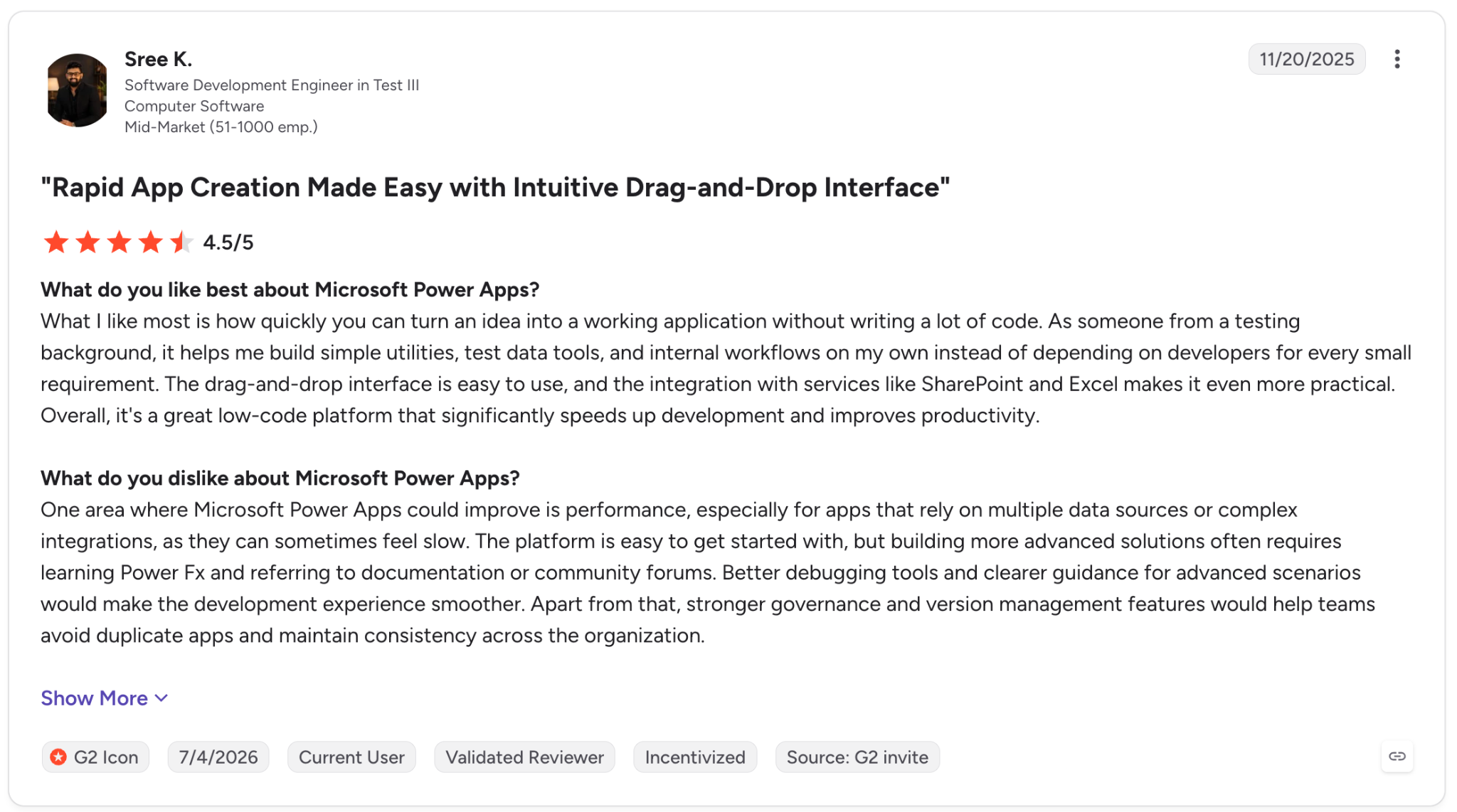
❌ Con: Sree K., a software development engineer in test, notes that advanced solutions require learning Power Fx and searching documentation and community forums (November 2025, G2).
Superblocks
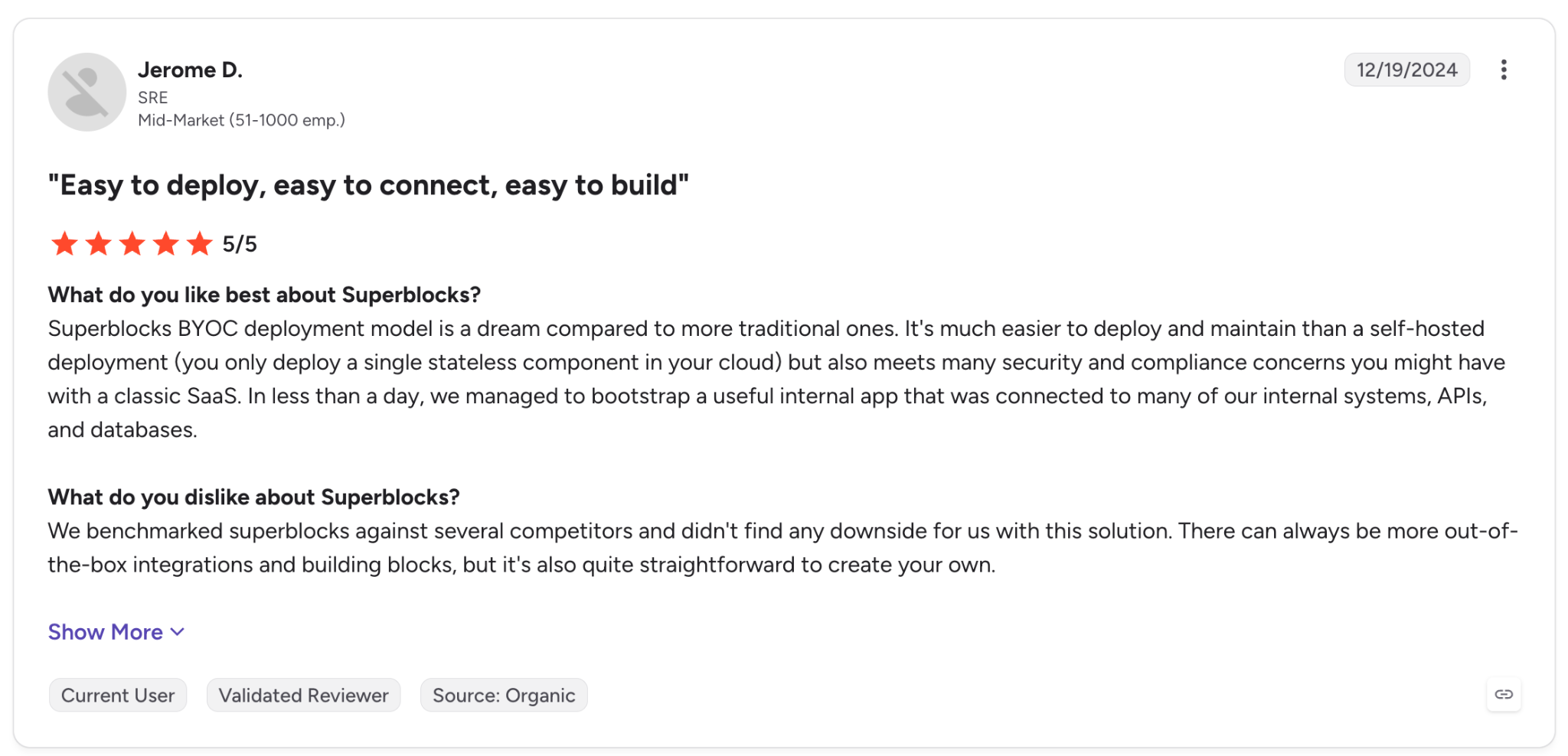
✅ Pro: Jerome D., an SRE, reports his team set up an internal app connected to internal systems, APIs, and databases in under a day (December 2024, G2).
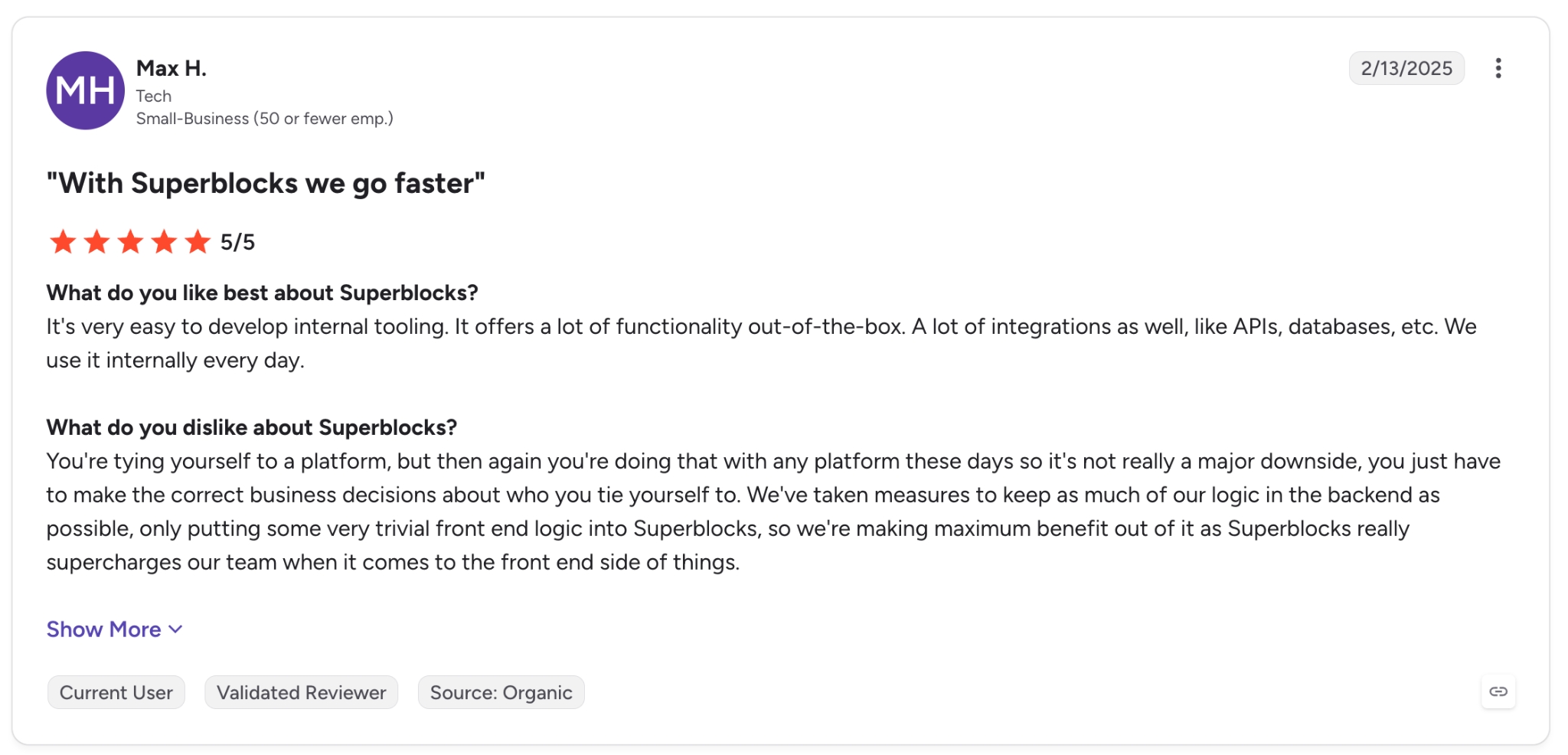
❌ Con: Max H., who works in tech, points out that you commit to a platform, so his team keeps as much logic as possible in the backend. He rates Superblocks 5/5 and says that's not a major downside (February 2025, G2).
Which tool should you choose?
The choice depends on who builds the apps and who signs off on production.
Choose Retool if you:
- Have developers who write JavaScript, Python, and SQL and connect PostgreSQL and other sources.
- Need an air-gapped deployment, which requires Enterprise, or self-hosting on Kubernetes with Helm.
- Want a managed PostgreSQL database and templates to start from.
Choose Power Apps if you:
- Work in Microsoft 365 and Dataverse with builders who already know Excel formulas.
- Rely on standard connectors covered by Microsoft 365 licenses, which carry no cap on app count.
- Can budget $20.00 per user per month for Premium where premium connectors are required.
- Use Azure DevOps or GitHub and need Dataverse Git integration.
Choose Superblocks if you:
- Have business users building with AI while IT needs audit logs and role management across the apps those teams build.
- Need Hybrid or Cloud-Prem deployment so production data stays in your cloud.
- Plan to own the generated code and connect it to GitHub, GitLab, Bitbucket, or Azure DevOps, for apps with TypeScript-backed APIs.
My final verdict
On Retool vs PowerApps alone, pick by builder. Go with Retool when engineers build the tools and Power Apps when staff who know Excel formulas do.
Retool carries further advantages beyond that split, since its record since 2017 and its included database both count in its favor, as do its template library and a homepage that promotes governance for vibe-coded apps.
Superblocks is my pick when business users build with AI and IT reviews what ships. Audit logs have been documented since April 2026, Git reached general availability on May 20, and the Admin MCP and Cloud-Prem deployment are documented as well. The tradeoff is the custom-priced Enterprise plan.
If your builders are developers, start with Retool's Free plan. Microsoft 365 organizations should compare Premium pricing with their existing Microsoft 365 rights first, and if IT must govern what business teams build, ask Superblocks for the Enterprise feature list.
Ready to try Superblocks?
Use the 14-day Teams trial to build one app with Clark. Audit logs and the rest of the governance tooling come with Enterprise, so book a demo to see them.
Frequently asked questions
What is the main difference between Retool and Power Apps?
The main difference between Retool and Power Apps is the builder each one targets. Retool is for developers who write JavaScript, Python, and SQL on mixed data stacks, while Power Apps is Microsoft's low-code tool for the Microsoft 365 ecosystem, based on Power Fx and Dataverse.
Is Retool worth it?
Retool is worth it for developer-led companies that need code control and its 74 listed integrations. Git source control and SSO come with Enterprise, which is custom-priced.
On cost, the Free plan covers up to 5 users, and paid plans start with Team at $10 per builder and $5 per internal user each month, billed annually. See Superblocks' Retool alternatives if the per-builder model doesn't suit your team.
Will AI replace Power Apps?
Microsoft's overview presents AI as part of Power Apps rather than a replacement for it, with Copilot designing an app from a plain-language description.
What are some alternatives to Retool?
Retool alternatives include Superblocks, Appsmith, ToolJet, Budibase, Bubble, Power Apps, Glide, UI Bakery, and WeWeb, per Superblocks' Retool alternatives roundup. Superblocks focuses on organizations that require governed AI app building with audit logs and VPC deployment.
What AI does Retool use?
Retool states it works with models from OpenAI, Anthropic, and Google directly, and from AWS and Azure through cloud providers, per its AI page. Bring-your-own AI provider keys aren't available below Enterprise. AI credits come as a monthly pool per plan, from 250 on Free to 10,000 on Enterprise.
Is Power Apps free?
Power Apps has a free Developer Plan for building and testing, and from November 15, 2026 signing up no longer creates a developer environment.
Running apps for your users takes a license, since Microsoft 365 covers only apps on standard connectors, while Premium is $20.00 per user per month, paid yearly.


Stay tuned for updates
Get the latest Superblocks news and internal tooling market insights.
Request early access
Step 1 of 2
Request early access
Step 2 of 2

You’ve been added to the waitlist!
Book a demo to skip the waitlist
Thank you for your interest!
A member of our team will be in touch soon to schedule a demo.
production apps built
days to build them
semi-technical builders
traditional developers
high-impact solutions shipped
training to get builders productive
SQL experience required
See the full Virgin Voyages customer story, including the apps they built and how their teams use them.

"Those tools are great for proof of concept. But they don't connect well to existing enterprise data sources, and they don't have the governance guardrails that IT requires for production use."
Table of Contents

Multiple authors
AI Governance Platform Pricing: 11 Tools Compared (2026)
AI governance platform pricing compared side by side, from published monthly prices to custom quotes, plus the hidden costs that change the final bill.