
Tired of Cursor vs Claude Code comparisons that describe tools that changed last month? The short answer is that Cursor is the AI editor you drive and Claude Code is the autonomous agent you delegate to. Plenty of developers end up running both.
I've used both across real project work, from quick inline edits to multi-file refactors, and looked at the independent benchmark data. Here's Cursor vs Claude Code on workflow, pricing, context, autonomy, and token cost, plus who each one fits.
Cursor vs Claude Code: what's the difference?
Cursor is an AI-first code editor, a fork of VS Code you drive with tab completion, inline edits, and multi-model routing.
Claude Code is a terminal-native coding agent from Anthropic that you delegate tasks to, letting it explore, edit, test, and iterate on its own.
Choose Cursor if: you want AI woven into an editor you steer, with visual diffs and model choice.
Choose Claude Code if: you want to hand off complex, multi-file work to an autonomous agent with minimal supervision.
Meet Cursor: features and highlights
Cursor, built by Anysphere, is an AI-first fork of VS Code. You stay in the driver's seat, using fast Tab autocomplete, inline edits, and per-request routing across frontier models like Claude, GPT, and Gemini.
Its strength is moment-to-moment control. You see every diff, accept or reject changes inline, and keep a familiar GUI. It shipped its own CLI and agent modes in January 2026, so it now covers CLI and agent workflows too while keeping its visual core.
Meet Claude Code: features and highlights
Claude Code, from Anthropic, is a terminal-native agent built on Claude models. Launched in May 2025, it indexes a full repository, builds an internal map, then plans and executes multi-step tasks end to end.
Its strength is autonomy on large codebases. With a 1M-token context window on its top model, it reads widely before acting, which is why it leads on architectural changes. It now runs in a VS Code panel and a desktop app alongside its native terminal.
Cursor vs Claude Code: at a glance
Pricing correct as of July 2026. Verify with vendor.
Cursor vs Claude Code: feature-by-feature comparison
Workflow and interface
The core split is who's driving.
Cursor keeps you in control inside a GUI. You write, trigger completions, and review each change visually, which suits developers who want to steer every step and already know VS Code.
Claude Code takes the wheel. You describe an outcome, and it works autonomously in the terminal, exploring and editing across files. That's powerful for delegation but has a steeper learning curve for developers used to a visual editor.
Winner: Tie. It comes down to whether you want to drive or delegate.
Context handling
Context is where Claude Code pulls ahead on big projects.
Claude Code's top model offers a 1M-token context window and scored 76% on the MRCR v2 recall benchmark, so it uses that context reliably. It reads many files before deciding, which pays off on large, unfamiliar codebases.
Cursor's advertised 200K window has a reported usable range of 70K to 120K tokens after internal overhead. For everyday editing that's plenty, but it's a real gap on sprawling multi-file work.
Winner: Claude Code.
Autonomy and agents
Both run agents now, but they optimize for different ends.
Claude Code is built for autonomy. It can orchestrate sub-agents and handle long, multi-step tasks with minimal hand-holding, making it strong when you delegate a whole feature or a repo-wide refactor.
Cursor added background agents and cloud handoff, but its center of gravity stays with the developer guiding edits. Its agents assist your flow while you keep the wheel.
Winner: Claude Code for delegation, Cursor for guided control.
Model flexibility
Model choice is a clear split.
Cursor offers multi-model routing, swapping between Claude, GPT, and Gemini per request. That flexibility lets you match a model to a task, or pick a cheaper one for simple work.
Claude Code runs exclusively on Anthropic's Claude models. That's a strength for consistency and deep optimization, though it means no routing to other providers. Community reports note Claude models often perform better when run natively here than routed through other tools.
Winner: Cursor, for breadth of choice.
Token use and cost
This is the detail that changes the math at scale.
Independent testing found Claude Code used about 5.5 times fewer tokens than Cursor on the same complex refactor, completing in 33K tokens where Cursor's agent used 188K.
If you pay per token via API, that lean token use makes Claude Code cheaper on heavy work despite higher subscription tiers.
Cursor, though, wins on simple tasks, delivering more accuracy points per dollar on trivial completions where its speed and lighter routing shine.
Winner: Claude Code on complex work, Cursor on simple tasks.
What real users are saying
Feedback below is drawn from G2, Reddit, and developer blogs.
Cursor

“Cursor is so much better in every way. A simple bug in my codebase that Cursor could fix in one prompt (with Opus 4.6), it took Claude Code (with 4.6) about 5 different prompts and a lot of babying along the way.” Verified User, Reddit
Pros: Users love the Tab autocomplete, visual diff review, and multi-model choice inside a familiar VS Code layout.

“The token allocation system feels a bit unclear.” Bo K, G2
Cons: Credit costs can spike fast on heavy model use, with some reporting large daily overages before setting spend limits.
Claude Code
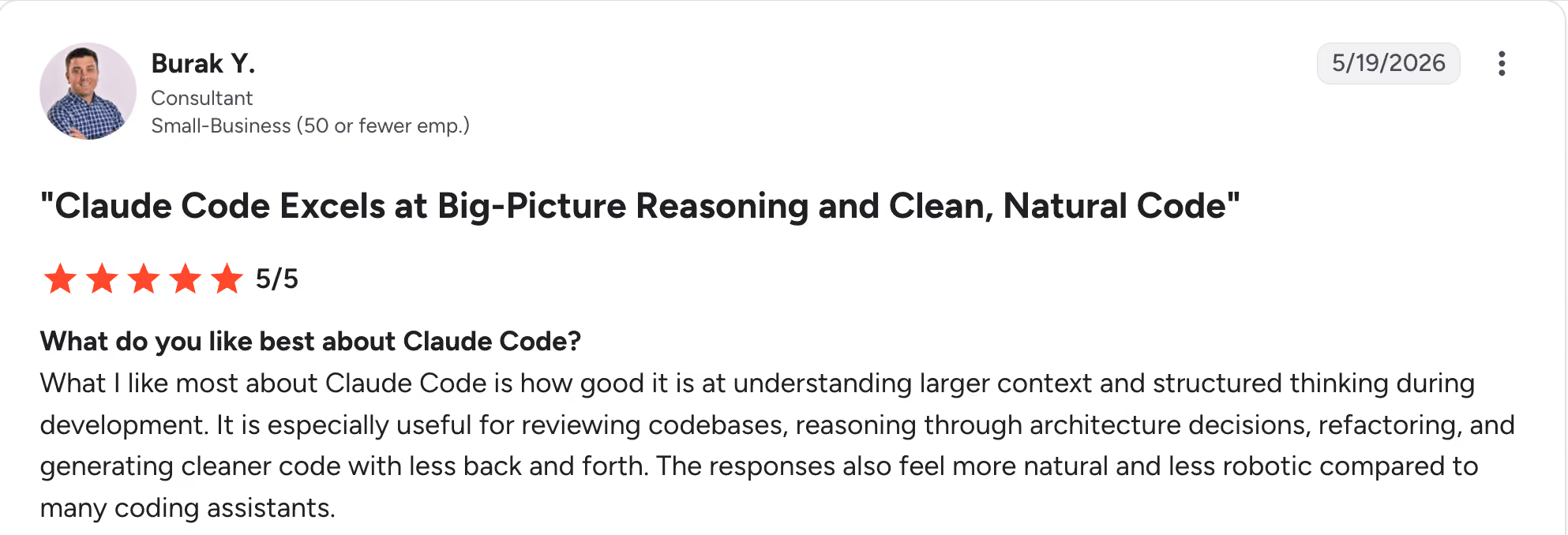
“What I like most about Claude Code is how good it is at understanding larger context and structured thinking during development.” Burak Y, G2
Pros: Users praise its autonomy on complex refactors, large-context reasoning, and low token use on multi-file work.

“The downside is that you can hit limits and it's not always transparent where these are.”Sean T, G2
Cons: The terminal-first approach has a learning curve, and developers have flagged opaque usage limits on heavier plans.
How to make your choice
Both tools are excellent, and neither wins outright. Cursor fits hands-on, editor-driven work with model flexibility. Claude Code leads on autonomous, large-context tasks and lean token use. Many teams use both, layered by task.
Cursor is better for:
- Daily editing where you want to see and steer each diff.
- Developers who want per-request model choice.
- Frontend and UI work with fast iteration.
Claude Code is better for:
- Complex, multi-file refactors and architectural changes.
- Delegating whole tasks to an autonomous agent.
- Large, unfamiliar codebases that reward wide context.
My verdict
Cursor is the tool I'd keep open for hands-on daily coding. Claude Code does more with less supervision and fewer tokens on heavy refactors I'd rather delegate.
Many shipping teams pair them, Cursor for active editing and Claude Code for the big lifts, at a combined cost that beats over-relying on either.
Where a coding tool stops and governance begins
Cursor and Claude Code both make individual developers faster. A different question surfaces once teams start shipping AI-built apps at work: who governs what gets built, on what data, and with what access.
That's a separate layer from either tool. Superblocks is the governed enterprise vibe coding platform, built on a SOC 2 and HIPAA-aligned foundation, where teams build internal apps with AI inside guardrails IT sets once.
It brings RBAC, audit logs, and code export, and you can even edit a Superblocks app's React code in Cursor, so they work together.
For example, Matthews Real Estate uses Superblocks so business teams can ship internal apps while IT keeps full visibility. Their VP of Product Innovation, Ryan Casey, put it plainly: "We don't have any shadow IT work happening".
If your question is which coding tool ships faster, the comparison above answers it. If it's how to let more people build internal tools safely, that's a different tool.
To try governed app building with a code path back to Cursor, start with the Superblocks Quickstart Guide.
Or book a demo to see Clark AI generating governed apps in your own environment.
Frequently asked questions
Is Claude Code better than Cursor?
Claude Code is better than Cursor for autonomous, multi-file work and large-context reasoning, while Cursor is better for hands-on editor-driven coding and model flexibility. Claude Code uses far fewer tokens on complex tasks, though Cursor gives more visual control.
What is the main difference between Cursor and Claude Code?
The main difference between Cursor and Claude Code is workflow philosophy. Cursor is an AI editor you drive with tab completion and visual diffs. Claude Code is a terminal-native agent you delegate whole tasks to, letting it explore and edit autonomously.
Can you use Cursor and Claude Code together?
Yes, you can use Cursor and Claude Code together, and many developers do. A common 2026 pattern runs Cursor for editing and visual diffs while delegating heavy multi-file refactors to Claude Code, often at a combined cost around $40 per month.
Is Cursor or Claude Code cheaper?
Cursor and Claude Code both start at $20 per month, so entry cost is the same. On complex work, Claude Code is cheaper per task because it uses about 5.5 times fewer tokens, while Cursor can be cheaper on simple completions where its routing is lighter.
Does Claude Code work in an IDE?
Yes, Claude Code works in an IDE as well as the terminal in 2026. It runs in a VS Code panel, offers a desktop app, and launched a browser-based IDE, all alongside its native terminal home.
At Virgin Voyages, non-technical teams now build their own AI apps, with IT governance fully intact. The result: 15+ production apps, seven departments onboard, and zero dedicated frontend engineers.
At Matthews, a marketing manager with zero coding background built an app that auto-generates offering memorandums, cutting turnaround from days to hours. See how the brokerage is putting AI builders on every team, with full governance intact.


Stay tuned for updates
Get the latest Superblocks news and internal tooling market insights.
Request early access
Step 1 of 2
Request early access
Step 2 of 2

You’ve been added to the waitlist!
Book a demo to skip the waitlist
Thank you for your interest!
A member of our team will be in touch soon to schedule a demo.
production apps built
days to build them
semi-technical builders
traditional developers
high-impact solutions shipped
training to get builders productive
SQL experience required
See the full Virgin Voyages customer story, including the apps they built and how their teams use them.

"Those tools are great for proof of concept. But they don't connect well to existing enterprise data sources, and they don't have the governance guardrails that IT requires for production use."
Table of Contents
%20(1).png)

Multiple authors
AI Governance Models: The 4 Operating Models Compared
Explore the four AI governance models, centralized, federated, hybrid, and decentralized, to see who owns policy, where each breaks down, and which one fits.
%20(1).png)
%20(1).png)